



Better Technician Coordination
Organize technician schedules, assignments and field activities from one centralized platform.
Manage your complete field service lifecycle with ECCRM - Field Service Management Software. From service requests and technician scheduling to dispatch, work orders, mobile field operations, spare parts, service reports, billing, AMC and preventive maintenance — everything is connected in one platform. Give your service team real-time visibility, help technicians work efficiently from the field, and deliver faster, more organized customer service with a centralized CRM + Field Service Management Software Solution.
Connect your office. Empower your technicians. Deliver better service!

Manage every stage of your field service operation in ECCRM - Field Service Management Software from receiving customer requests and assigning technicians to completing jobs, billing and preventive maintenance.
Capture and register customer service requests with the required customer, equipment, location and service details.
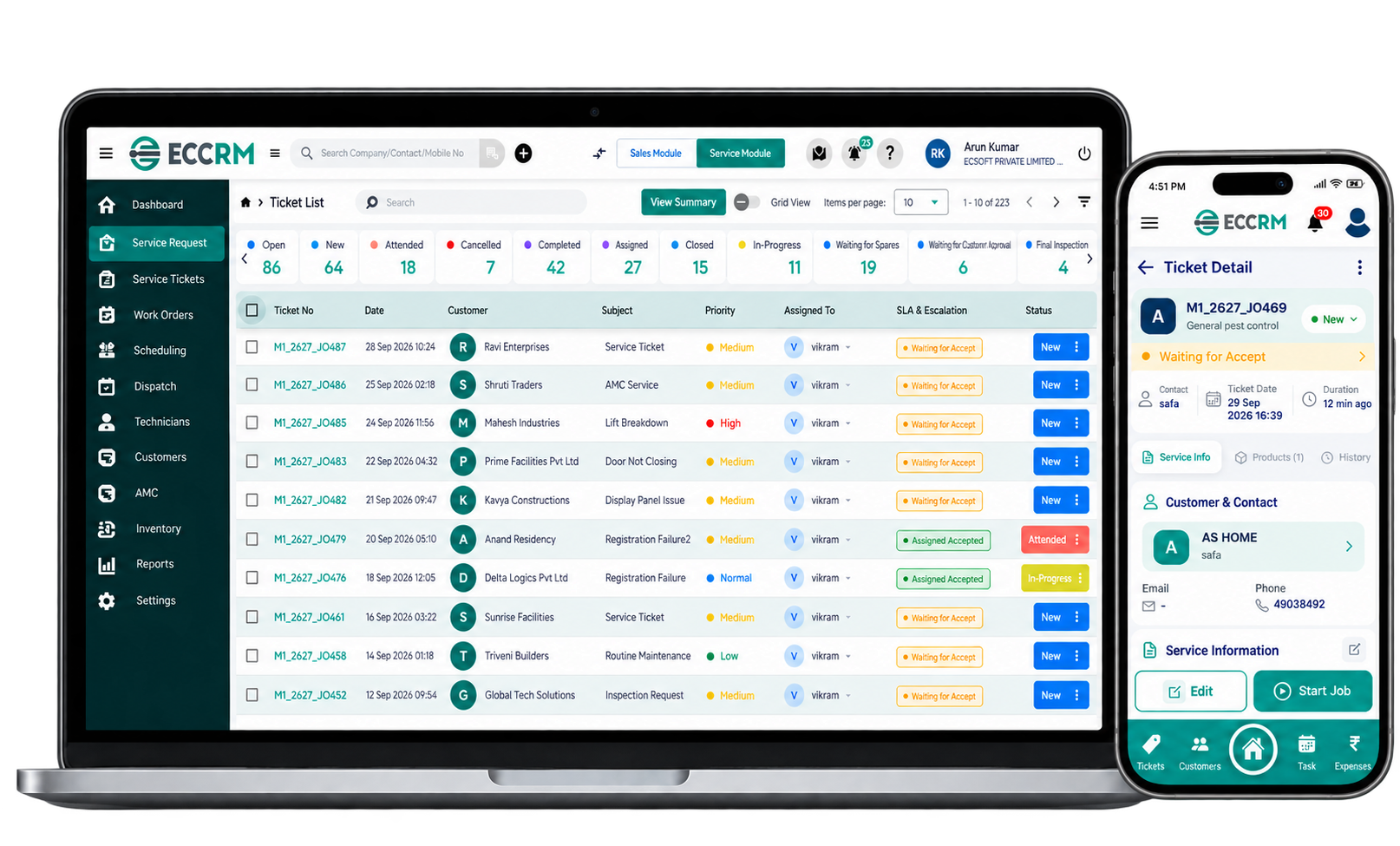
From service request and scheduling to completion, payment, maintenance, follow-ups and performance analytics.
Manage your field service business with smarter tools for scheduling, dispatch, work orders, GPS tracking, technician management, AMC, preventive maintenance, inventory and invoicing. ECCRM Field Service Management Software connects your office, field technicians and customers in one platform—helping businesses improve productivity and visibility while giving customers faster updates, reliable service and a better overall experience.
Capture customer requirements and move every request through service execution with complete visibility.
Coordinate technicians, schedules, dispatch and mobile service activities from one connected system.
Manage AMC contracts, warranties and preventive maintenance through one structured service system.
Connect service materials and commercial processing with the work performed in the field.
Get a clear operational view through dashboards, reports, analytics and connected business systems.
Requests, work orders, history and reports
Scheduling, dispatch, GPS and mobile
AMC, warranty and preventive maintenance
Spare parts, inventory and service billing
Dashboards, reports, analytics and integrations
See how ECCRM can connect your service team, technicians and customers in one platform.
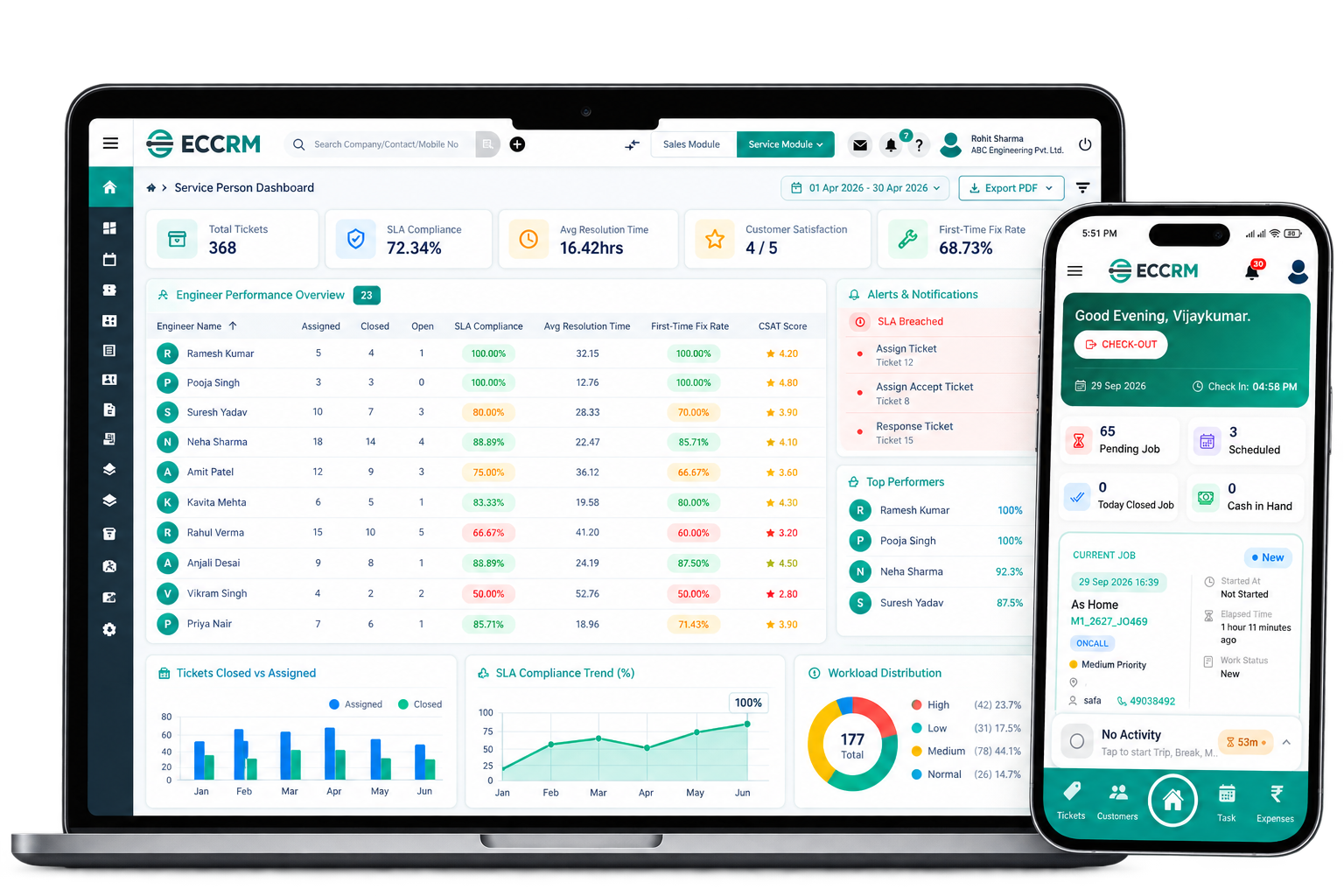
Explore the complete field service platform with real screens. Manage service operations, field teams, maintenance, inventory and billing through one easy-to-use system.
Get a real-time view of your service operations, technician activity and job performance from one powerful dashboard.
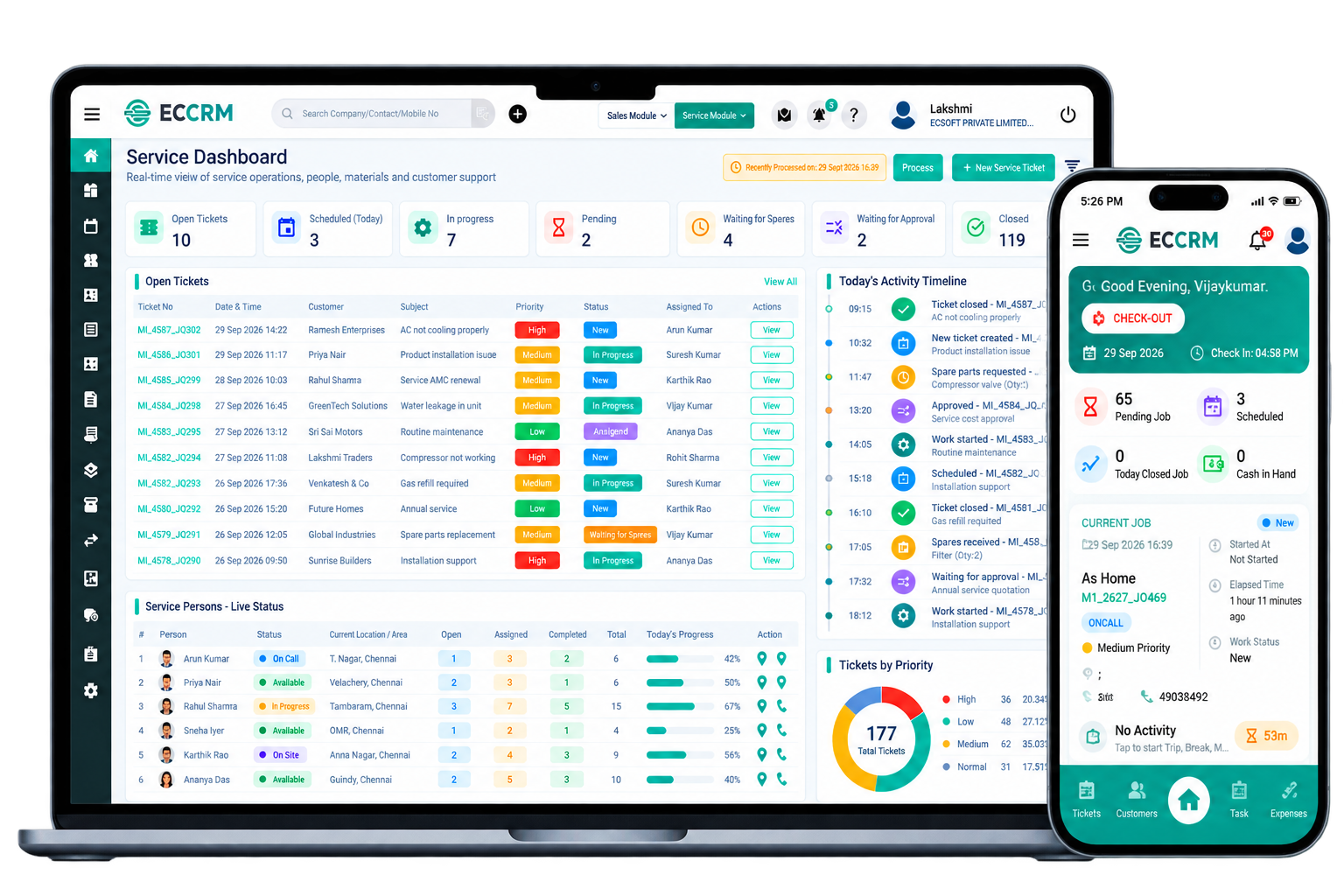
ECCRM - Field Service Management Software gives the field technicians instant access to assigned jobs, customer information, work orders and service activities— so they can stay productive from dispatch to job completion.

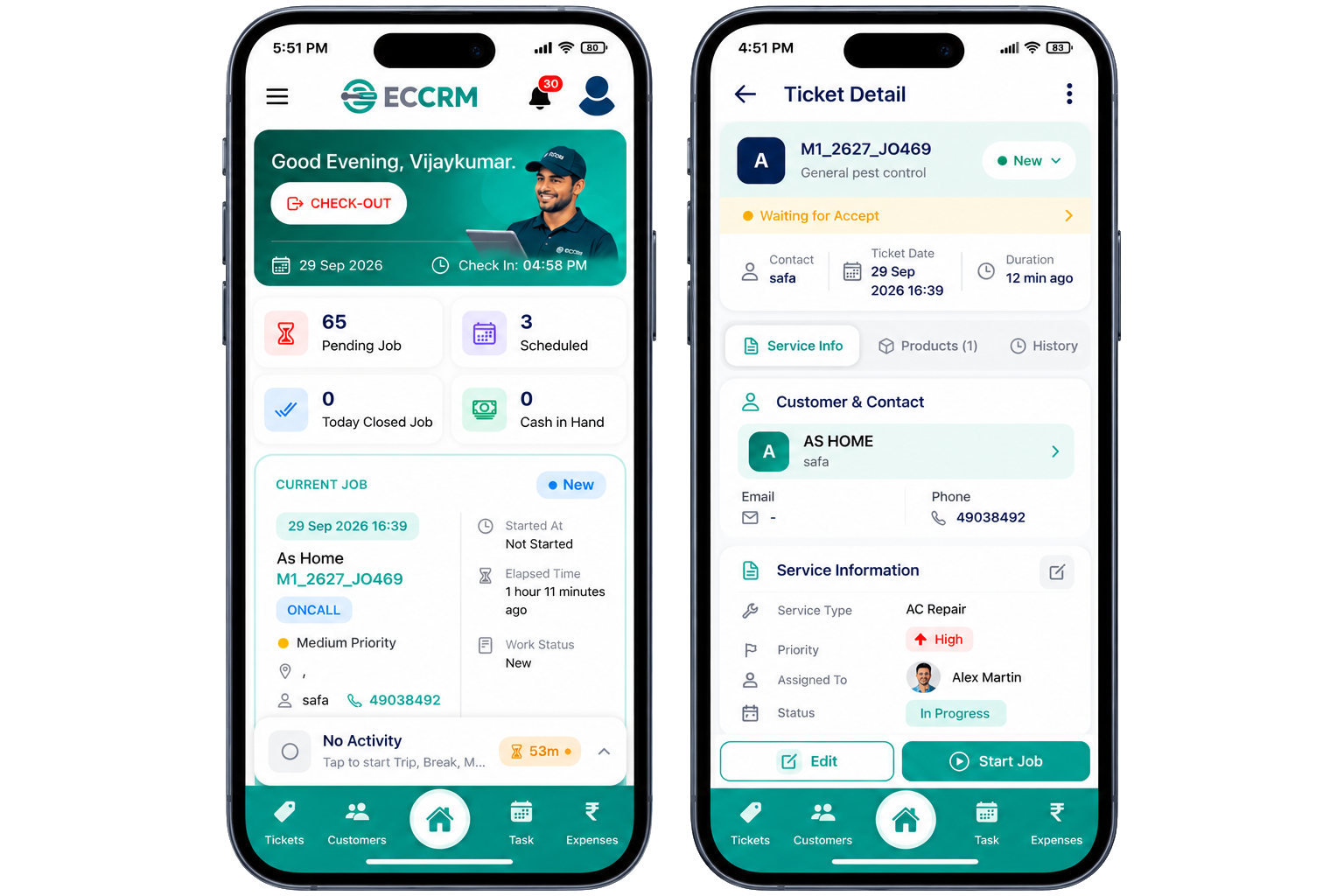
A simple mobile experience designed for field technicians and daily service activities.
Keep technicians connected with customer, work order and service information.
Keep service work, job updates and completion activities organized in one place.
Disconnected teams, missed appointments, delayed service visits, and lack of visibility can slow down your service business. Discover the challenges that hold service organizations back.
Difficulty assigning the right technician at the right time, resulting in delayed service delivery.
Poor coordination between office teams and field technicians leads to delays and missed appointments.
Managers cannot track technician locations, activities, job progress, or current service status.
Missed AMC renewals, preventive maintenance visits, and warranty service commitments.
No visibility into spare parts stock, usage, availability, and inventory movements.
Service performance reports can be delayed, inconsistent, or difficult to analyze.
Replace disconnected processes and manual coordination with a connected field service workflow powered by ECCRM - Field Service Management Software.
The right Field Service Management Software does more than replace paperwork. It helps businesses connect office teams, field technicians and customers through one organized system. With ECCRM, businesses can manage scheduling, dispatch, work orders, GPS tracking, maintenance, inventory and invoicing while customers benefit from faster responses, better communication and more reliable service.
Organize technician schedules, assignments and field activities from one centralized platform.
Give office teams and technicians access to the service information they need, wherever they work.
Deliver timely updates, better communication and a more consistent service experience.
Manage AMC contracts, preventive maintenance schedules and renewal activities more systematically.
Track field activities, technician progress and service status with better operational visibility.
Maintain better visibility into spare parts stock, usage and inventory movement.
Monitor workloads, service activities, technician performance and operational progress.
Build a structured service operation that can support growing teams, customers and service workloads.
ECCRM - Field Service Management Software adapts to the way different service businesses manage customers, technicians, service requests, scheduling, work orders, AMC and field operations.
Streamline your HVAC service operations with scheduling, dispatch, work orders and AMC management — all in one platform.
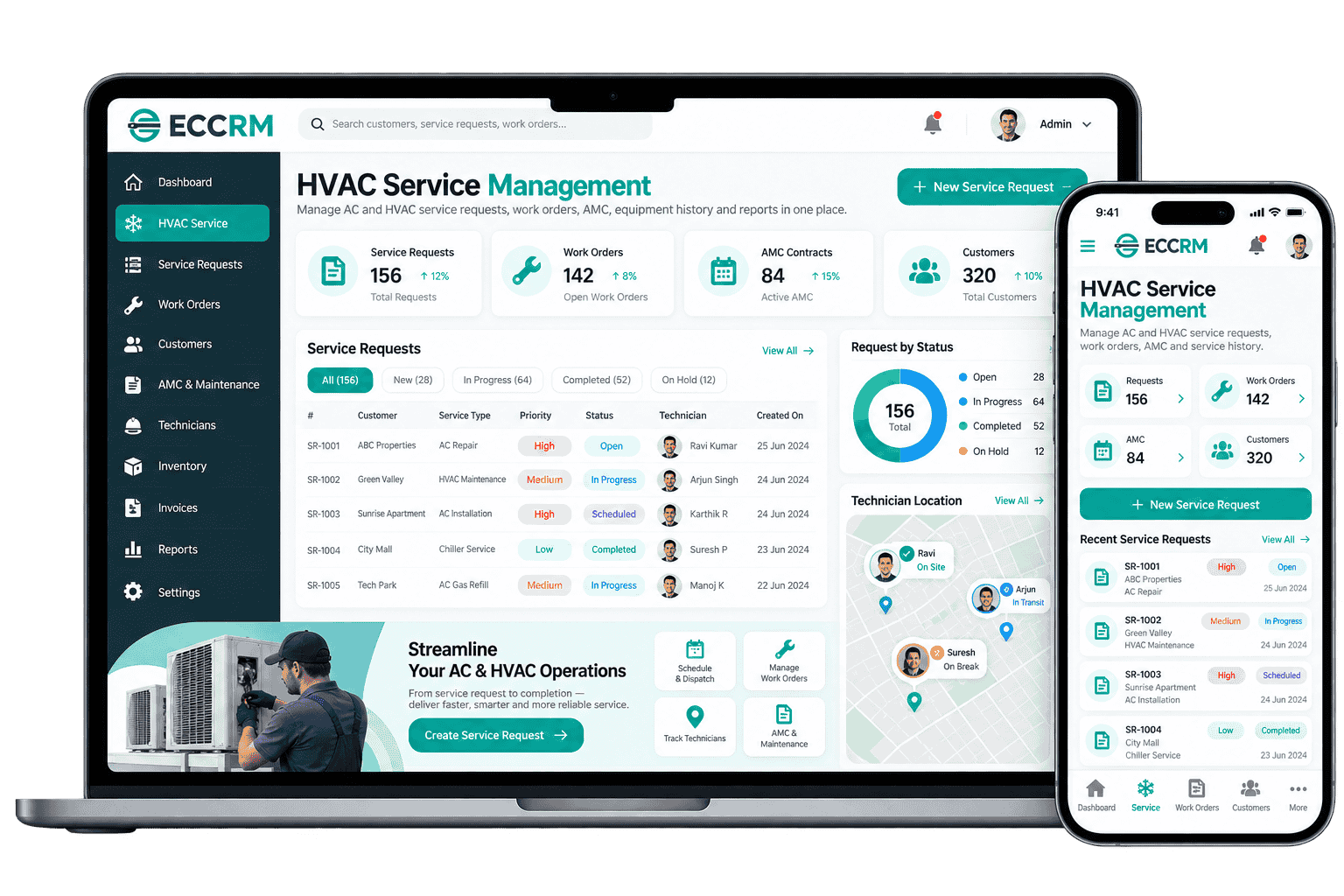
ECCRM - Field Service Management Software connects customer management, field service operations, technicians, maintenance and business workflows in one platform—helping service businesses manage their operations with greater visibility and control.
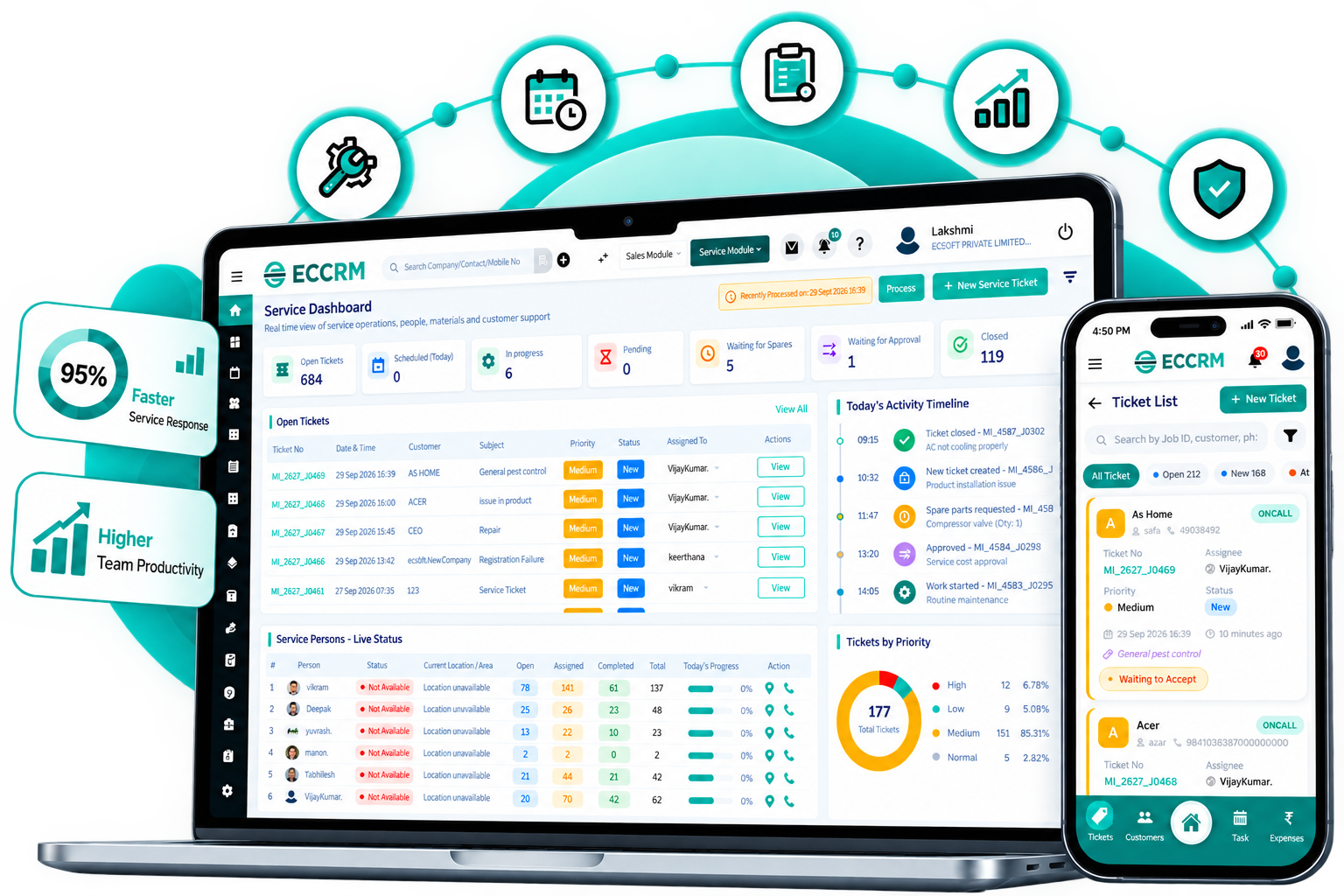
Keep customer information, service requests, work orders and service history in one place.
From customer request and scheduling to dispatch, service completion, billing and AMC.
Keep coordinators, managers and technicians connected with shared information in real time.
Adapt workflows for HVAC, electrical, equipment, facility, appliance and other service businesses.
Built by ECSOFT with long-term experience in business software and CRM solutions.
Flexible to support growing customers, technicians, service jobs, locations and operations.
Watch a quick overview of how ECCRM - Field Service Management Software connects service requests, scheduling, technicians, field operations and customer communication from start to finish.
Our proven implementation process ensures a smooth and successful deployment of your software.
Find answers to common questions about ECCRM Field Service Management Software and its features.
Field Service Management Software helps businesses manage service requests, technicians, scheduling, dispatch, work orders, customer information, service reports and field operations from a connected platform.
ECCRM helps service businesses manage customer requests, technician scheduling, dispatch, work orders, GPS tracking, AMC, preventive maintenance, inventory, service reports and billing.
Yes. ECCRM provides mobile access for field technicians so they can view assigned jobs, update service status, access customer details, capture service information and submit service reports from the field.
ECCRM can help service teams manage AMC contracts, scheduled maintenance activities, service commitments, warranty information and preventive maintenance workflows.
ECCRM can support service-focused businesses such as HVAC, RO water purifier service, electrical repair, appliance service, medical equipment, plumbing, elevator service, solar, pest control, industrial maintenance and facility management.
ECCRM can provide field-team visibility through technician activity and location tracking features, helping service managers coordinate field operations.
Yes. ECCRM can help teams create, assign, schedule, track and complete work orders while maintaining customer and service history.
Yes. You can request a free live demo to see how ECCRM can support your service requests, technicians, scheduling, work orders and field service operations.
ECCRM helps field service teams manage spare parts by connecting service jobs with inventory and technician activities. Teams can track spare parts used for work orders, monitor stock availability, record parts consumption and maintain service history. This helps businesses know which parts are available, which parts were used for a specific service job and when additional stock may be required. By connecting spare parts management with field service operations, ECCRM helps improve inventory visibility and reduce delays caused by unavailable parts.
Yes. ECCRM can be integrated with ERP, accounting and other business systems to connect customer, sales, service, inventory and financial information across business operations. Depending on the business requirement and existing systems, integrations can be configured to exchange relevant data such as customers, invoices, products, inventory, service transactions and payment information. This helps businesses reduce duplicate data entry and maintain a more connected workflow between field service and other business functions.
Yes. ECCRM can be customized and configured to support different service workflows, business rules and operational requirements. Businesses can adapt areas such as service requests, work orders, technician assignment, scheduling, service checklists, approvals, AMC and preventive maintenance, spare parts, service reports and billing according to their processes. ECSOFT can work with the business to understand its existing service operations and configure or customize ECCRM to align the software with its requirements.
ECCRM - Field Service Management Software brings your service requests, technicians, scheduling, dispatch, work orders, AMC, maintenance, inventory and reporting together in one connected platform.