


Field Service Management Software: A Complete Guide for Modern Service Businesses
Running a field service business looks simple from the outside. A customer raises a service request. Someone assigns a technician. The technician visits the site, fixes the problem and submits a service report. But anyone managing service operations knows that the real process is rarely that straightforward.
There may be dozens of service calls waiting at the same time. Technicians may be working across different locations. Customers want accurate arrival times. Spare parts need to be available. AMC visits cannot be missed. Managers need to know which jobs are pending. Accounts teams need completed job information before raising invoices.
When all of this is managed through phone calls, WhatsApp messages, spreadsheets and paper job sheets, small gaps quickly become operational problems.
Field Service Management Software brings these moving parts together in one connected system..
It helps businesses manage the complete service journey — from receiving a service request and scheduling a technician to completing the job, recording service history, managing parts and generating reports. Modern FSM platforms are increasingly going beyond basic job scheduling to connect mobile execution, customer information, inventory, analytics, automation and AI-assisted planning
What is Field Service Management Software?
Field Service Management Software (FSM) is a digital system used to plan, coordinate, track and manage work performed by technicians or service teams at customer locations.
Instead of maintaining separate systems for customer complaints, technician schedules, work orders, service reports and service history, businesses can manage these activities through a centralized platform.
A typical field service management system can help you:
- Create and assign service requests
- Schedule technician visits
- Dispatch technicians based on availability and location
- Track field technicians
- Manage work orders
- Access customer and equipment history
- Record service activities
- Capture photos and service reports
- Manage spare parts
- Handle warranty and AMC contracts
- Schedule preventive maintenance
- Generate invoices
- Monitor technician performance
- Analyze service operations
In simple terms, FSM software connects the office team, field technicians and customers around the same service information.
Current buyer research also places mobile access, scheduling, service history, calendar management and billing among the important capabilities businesses look for in FSM software.
Why Do Businesses Need Field Service Management Software?
The biggest challenge in field service isn't necessarily the number of jobs.
It is coordination.
Imagine a service company handling 50, 100 or 500 service requests every month.
Without a centralized system, the service coordinator may need to answer questions such as:
- Which technician is available today?
- Where is the technician currently located?
- Which customer has an urgent complaint?
- Has this equipment been serviced before?
- What parts were replaced during the previous visit?
- Which AMC contracts are expiring?
- Which jobs are still pending?
- Has the customer approved the quotation?
- Has the technician submitted the service report?
- Can the completed job be invoiced?
When information is scattered across spreadsheets, messages and individual conversations, these questions take time to answer.
A field service management system gives the team one operational view of the service business.
That means fewer manual follow-ups, better visibility and faster decision-making.
How Does Field Service Management Software Work?
A good field service workflow generally follows this path:
1. Service Request
A customer contacts the business with a complaint, maintenance request, installation requirement or breakdown issue.
The request is recorded in the system.
2. Technician Assignment
The service coordinator checks technician availability, skills, location and workload before assigning the job.
3. Scheduling & Dispatch
The technician receives the job details through the field service mobile app.
4. On-Site Service
The technician visits the customer's location and performs the required work.
Customer history, equipment information and previous service records can be available before or during the visit.
5. Digital Service Report
The technician records the work performed, parts used, observations and job status.
Photos, checklists and customer confirmation can also be captured digitally.
6. Job Completion
Once the service is completed, the office team can immediately see the updated status.
7. Billing & Follow-Up
The completed job information can be used for quotation, invoicing, payment follow-up or future maintenance scheduling.
This creates a closed-loop field service process instead of treating each service call as an isolated activity.
Key Features of Field Service Management Software
Not every business needs the same feature set. However, there are several capabilities that make a field service management system genuinely useful.
1. Service Request & Ticket Management
Centralize customer complaints, service requests and breakdown calls.
Instead of searching through messages to understand what happened, your team can view the complete request and its current status in one place.
2. Technician Scheduling
Technician scheduling software helps service managers organize jobs according to:
- Technician availability
- Location
- Skills
- Workload
- Job priority
- Appointment time
- Required equipment or parts
The goal isn't simply to assign more jobs.
The goal is to assign the right technician to the right job at the right time.
3. Smart Dispatch
Once a job is scheduled, dispatching becomes much easier when technicians, locations and job priorities are visible from one dashboard.
This is particularly useful for businesses managing multiple technicians across different cities or service areas.
Modern FSM platforms increasingly use skills, availability, location and job priority to support technician assignment and dispatch decisions.
4. GPS Technician Tracking
Field service software with GPS tracking provides visibility into technician movements and job locations.
Managers can understand:
- Where technicians are
- Which jobs are in progress
- Whether technicians have reached the customer location
- How much travel is involved
- Which jobs may require reassignment
GPS shouldn't be viewed simply as a tracking feature.
Its real value is better field coordination.
5. Mobile Field Service App
A field technician should not have to call the office every time they need basic job information.
A mobile field service application can provide access to:
- Customer details
- Service requests
- Work orders
- Equipment history
- Job instructions
- Service checklists
- Parts information
- Previous service reports
- Photos
- Customer signatures
Mobile access is one of the most important capabilities considered by FSM software users, alongside scheduling and service history.
6. Work Order Management
A work order provides the technician and office team with a structured view of the job.
It can include:
- Customer
- Site
- Equipment
- Problem description
- Assigned technician
- Scheduled date
- Required parts
- Work performed
- Service charges
- Job status
Digital work orders also create a valuable service history for future visits.
7. Customer & Equipment Service History
This is one of the most useful features for businesses servicing equipment repeatedly.
Before visiting a customer, technicians can see:
What equipment is installed?
What problem occurred previously?
What parts were replaced?
When was the last service completed?
Is the equipment under warranty or AMC?
This context can make the next service visit much more productive.
8. AMC & Preventive Maintenance Management
For businesses operating Annual Maintenance Contracts, remembering service visits manually can become difficult as the customer base grows.
AMC management software can help schedule preventive visits, track completed services, monitor contract periods and identify upcoming renewals.
Instead of remembering:
"This customer's AMC visit is due next month."
the system can bring the upcoming activity to the team's attention.
This turns maintenance from a reactive process into a planned one.
9. Spare Parts & Inventory Management
A technician reaching the customer's site without the required spare part can result in another visit.
Field service inventory management helps businesses track:
- Spare parts
- Parts issued to technicians
- Parts consumed per job
- Returned parts
- Warehouse stock
- Technician stock
Connecting parts information with work orders gives managers better visibility into service costs and inventory usage.
10. Digital Service Reports
Paper service reports can be difficult to search, store and share.
A digital service report can capture:
- Work performed
- Technician observations
- Parts replaced
- Before/after photos
- Customer comments
- Customer signature
- Service completion status
This creates a searchable record of the service performed.
11. Billing & Invoicing
Field service doesn't end when the technician fixes the problem.
The business still needs to convert completed work into revenue.
Connecting service operations with billing can reduce the gap between:
Job Completed → Invoice Generated → Payment Collected
This is particularly important for service businesses handling a high volume of jobs.
Benefits of Field Service Management Software
The value of FSM software isn't simply that it replaces paper.
The bigger benefit is that it helps the business operate with better visibility and less manual coordination.
Faster Technician Scheduling
Managers can view available technicians and assign work more efficiently.
Better Customer Communication
Customers can receive clearer updates about appointments and service progress.
Reduced Administrative Work
Information entered by technicians can flow back to the office without repeated manual entry.
Better Technician Productivity
Technicians spend less time waiting for job information and more time completing service work.
Improved Service History
Every visit can contribute to a centralized customer and equipment record.
Better Parts Control
Businesses can understand which parts are being used and where inventory is moving.
Faster Billing
Completed service information can move more quickly toward invoicing.
Better Management Visibility
Managers can monitor pending, assigned, in-progress and completed jobs from one system.
Field Service Management Software vs Manual Service Management
Many small businesses start with a combination of:
Excel + WhatsApp + phone calls + paper reports.
It works — until the business reaches a point where the number of customers and technicians makes manual coordination difficult.
Who Should Use Field Service Management Software?
FSM software is particularly useful for businesses where employees regularly travel to customer locations.
Examples include:
HVAC & Air Conditioning Companies
HVAC Business Can manage installation, breakdown calls, maintenance, technicians, spare parts and AMC visits.
Elevator & Escalator Service Companies
Lift & Elevator Companies Can track equipment, breakdown calls, preventive maintenance, technicians and AMC contracts.
Electrical Service Businesses
Electrical Service Businesses manage service requests, technician assignments and field reports.
Plumbing Companies
Plumbing businesses can Schedule technicians and manage customer service calls.
Equipment Maintenance Companies
Maintain equipment history, preventive maintenance schedules and spare parts information.
Solar Service Companies
Solar Service Companies manage installations, inspections, maintenance and field technicians.
Security & CCTV Companies
Manage installation, maintenance, service requests and recurring contracts.
IT & Network Service Providers
Coordinate field engineers, customer sites, tickets and service reports.
Appliance Service Companies
Appliance Repair Businesses Manage warranty service, repairs, spare parts and technician visits.
The common factor is simple:
The work happens at the customer's location.
How to Choose the Right Field Service Management Software
Choosing FSM software shouldn't start with:
"How many features does this software have?"
Instead, start with your actual service workflow.
Ask these questions:
1. Can it handle your service volume?
A system suitable for 5 technicians may not be suitable for 100.
2. Does it support mobile technicians?
The field team should be able to work from their phones without depending on the office for every update.
3. Does it support scheduling and dispatch?
Look for scheduling based on availability, skills, location and job priority.
4. Can you access service history?
Customer and equipment history should be available when technicians need it.
5. Does it support AMC and preventive maintenance?
If recurring maintenance is important to your business, this should be part of the workflow.
6. Can it manage spare parts?
Parts used in service should be traceable.
7. Can it integrate with CRM or ERP?
Service operations rarely exist independently. Integration becomes increasingly important as businesses scale. Enterprise FSM evaluations also emphasize integration, mobile reliability, analytics, security and scalability.
8. Can managers see meaningful reports?
A dashboard should help answer business questions, not simply display numbers.
What Does Field Service Management Software Cost?
There isn't one universal price.
Pricing can vary depending on:
- Number of users
- Number of technicians
- Modules required
- Mobile applications
- GPS tracking
- Integrations
- Customization
- Cloud or on-premise deployment
- Support requirements
Current software-market data shows a wide range of pricing models, so businesses should compare the total operational value rather than choosing purely on monthly subscription price.
A cheaper system that doesn't support your workflow can become expensive through additional manual work.
The better question is:
How much time, revenue and operational efficiency can the software help recover?
The Future of Field Service Management: AI + Automation
Field service managementis moving beyond simply digitizing paper processes.
AI is increasingly being applied to areas such as:
- Technician scheduling
- Dispatch optimization
- Route planning
- Predictive maintenance
- Knowledge assistance
- Customer communication
- Service analytics
For example, AI-assisted scheduling can consider technician skills, availability, location and job priority when helping plan service work.
Predictive maintenance can also help businesses identify potential equipment issues before they become major breakdowns.
Industry research in 2026 increasingly identifies AI-assisted dispatch, travel optimization and technical knowledge access as important areas of FSM development.
But AI should not be treated as a marketing checkbox.
The real question is whether it helps your service team make better decisions.
Why Connected Field Service Operations Matter
A field technician doesn't work in isolation.
The technician depends on the service coordinator.
The coordinator depends on customer information.
The job may depend on spare parts.
The invoice depends on the completed service.
The next maintenance visit depends on the service history.
That's why the most valuable field service management systems connect these activities rather than creating another isolated application.
For example:
Customer Request
↓
Service Ticket
↓
Technician Assignment
↓
Schedule & Dispatch
↓
GPS / Mobile App
↓
Work Order
↓
Service Report
↓
Parts Used
↓
Invoice
↓
Service History
↓
AMC / Preventive Maintenance
This connected workflow gives management a much clearer picture of what's happening across the service business.
How ECCRM Helps Businesses Manage Field Service Operations
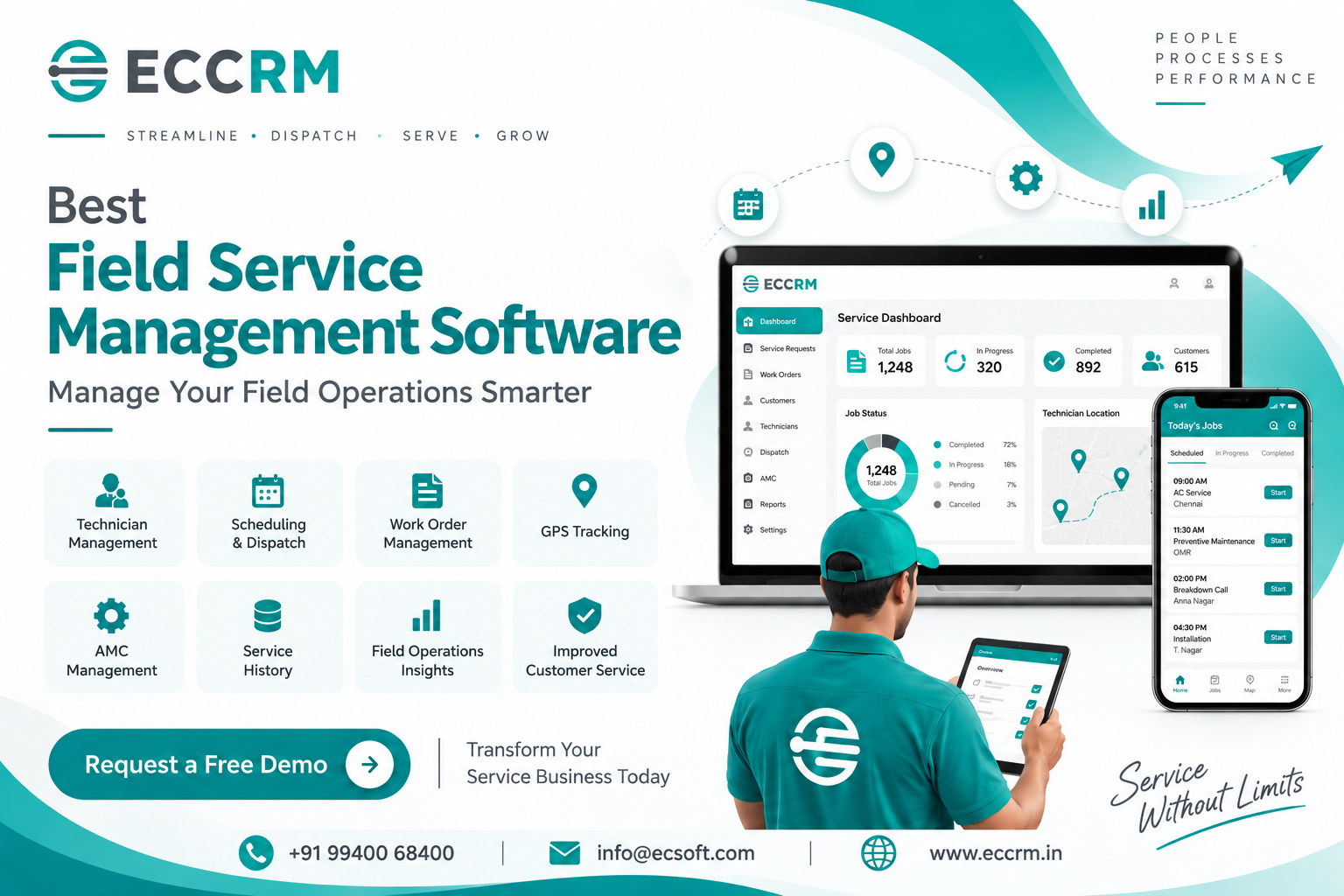
For businesses looking for a Field Service Management Software in India, ECCRM brings customer management and field service operations together.
ECCRM supports capabilities including:
- Service request management
- Technician scheduling
- Job dispatch
- GPS tracking
- Work order management
- Mobile CRM access
- Customer and service history
- Spare parts management
- Warranty management
- AMC and preventive maintenance
- ERP integration
- Cloud-based dashboards
- Reporting and analytics
ECCRM is designed to help service organizations move from disconnected spreadsheets, calls and manual follow-ups toward a more connected service workflow.
The important part isn't simply having all these features.
It's having them work together around the customer's service journey.
Frequently Asked Questions
What is field service management software?
Field Service Management Software is a system that helps businesses manage technicians and service activities performed at customer locations, including scheduling, dispatch, work orders, service history, mobile field operations, inventory and reporting.
What is the difference between CRM and field service management software?
CRM primarily focuses on customer relationships, sales and customer information. FSM focuses on the operational delivery of services at customer locations. A connected field service CRM can bring both areas together.
What is field technician management software?
Field technician management software helps businesses schedule, assign, track and monitor technicians while managing their field jobs and service activities.
Does field service software support GPS tracking?
Many modern FSM platforms support GPS or location-based capabilities for technician visibility, dispatch and route management. The exact functionality depends on the software.
Can FSM software manage AMC contracts?
Yes. FSM systems can support AMC and preventive maintenance workflows by tracking contracts, scheduling recurring visits, maintaining service history and managing renewals.
Can field service software be used on mobile devices?
Yes. Mobile access is a core capability of modern field service platforms, allowing technicians to access jobs, customer information, work orders and service forms while working at customer sites.
Is field service management software suitable for small businesses?
Yes. Small and medium service businesses can benefit when manual scheduling, technician coordination, paperwork and service follow-ups start consuming significant time.
How does field service software improve customer service?
It gives service teams better visibility into requests, technician assignments, appointment schedules and service history, helping them respond faster and provide more consistent service.
Final Thoughts
Field service management is ultimately about getting the right person, information and resources to the right customer at the right time.
Software makes that possible by connecting the activities that are often managed separately — service requests, technicians, schedules, work orders, customer history, parts, AMC contracts, billing and reporting.
If your service business is still dependent on spreadsheets, paper reports, phone calls and scattered messages, the first step isn't necessarily to automate everything.
Start by identifying where your team loses the most time.
Is it scheduling?
Technician coordination?
Customer follow-up?
Service reporting?
AMC renewals?
Spare parts?
Billing?
Then choose a field service management system that solves those problems as one connected workflow.
Because the best FSM software isn't the one with the longest feature list.
It's the one that makes your service team easier to manage, your technicians more productive and your customers better served.
Ready to Bring your Field Service Operations into One System?
If you're looking for Field Service Management Software in India to manage service requests, technicians, scheduling, GPS tracking, work orders, AMC, preventive maintenance, spare parts and service reporting, ECCRM can help you build a more connected service operation.
Book an ECCRM demo and see how your current service workflow can be digitized.