


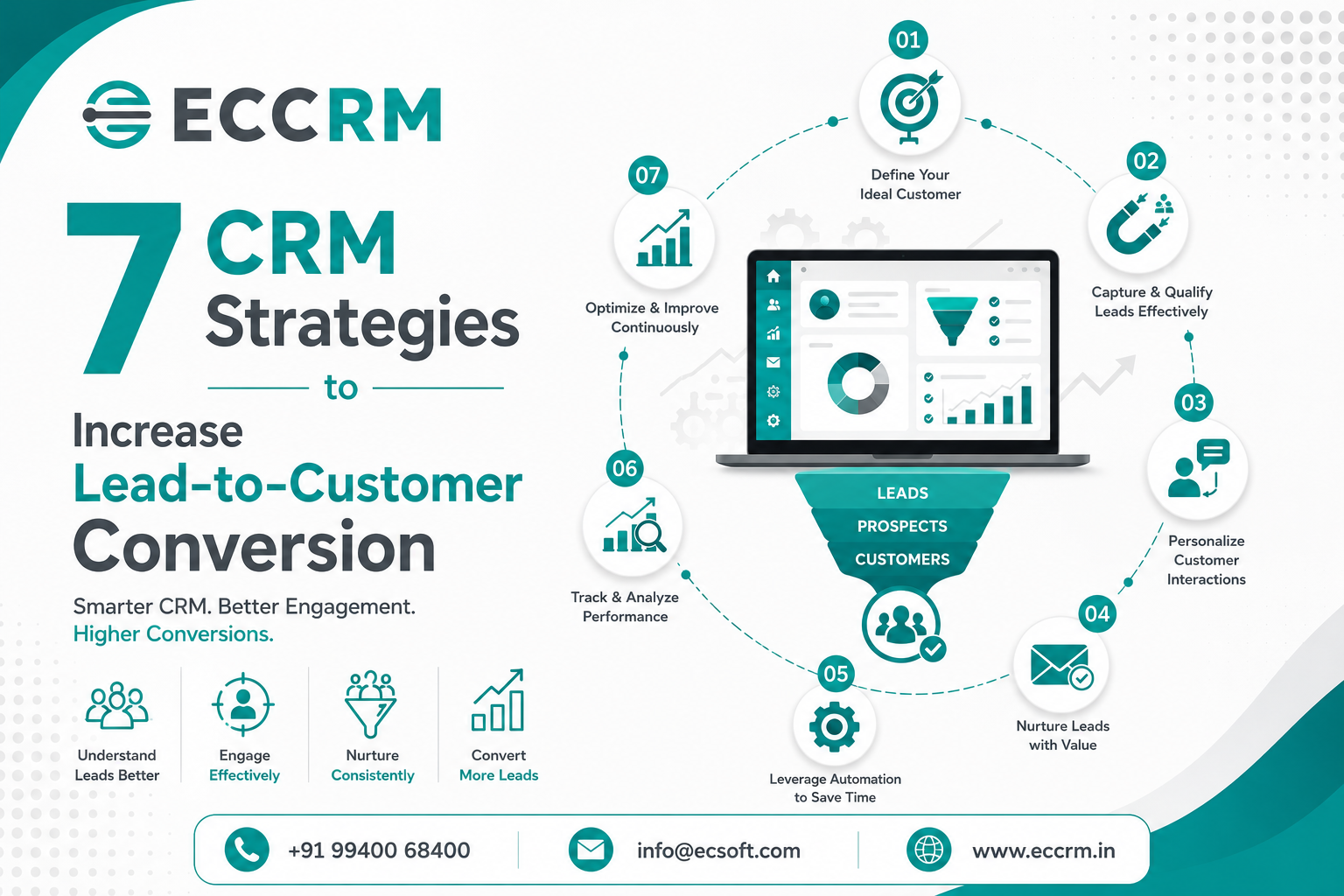
CRM Strategies to Increase Lead-to-Customer Conversion
Generating leads is only the first step in the sales process. The real challenge for many businesses is converting those leads into paying customers.
A company may receive hundreds of enquiries through its website, social media, email campaigns, advertisements, referrals, and other channels. However, if those leads are not followed up at the right time, nurtured properly, and moved through an organized sales process, many potential customers can be lost.
This is where a Customer Relationship Management (CRM) system can make a significant difference.
A well-implemented CRM software helps businesses organize customer information, track leads, automate follow-ups, monitor sales activities, and give sales teams a clear view of every opportunity. But simply having a CRM is not enough. Businesses need the right CRM strategies to turn their CRM system into a practical lead-conversion engine.
In this article, we explore 7 CRM strategies to increase lead-to-customer conversion, improve sales productivity, strengthen customer relationships, and create a more predictable sales pipeline.
What is Lead-to-Customer Conversion?
Lead-to-customer conversion refers to the process of turning a potential prospect or lead into a paying customer.
For example, a visitor may:
Website Visitor → Enquiry → Qualified Lead → Sales Opportunity → Follow-Up → Negotiation → Customer
Every stage requires timely communication and proper sales management.
A business may have a large number of leads, but if sales representatives do not know:
- Which leads are important
- When to follow up
- What the customer is interested in
- What communication has already taken place
- Which leads are ready to buy
- Which opportunities are becoming inactive
then the chances of conversion can decrease.
A CRM system for sales management helps bring this information into one centralized platform, allowing sales teams to manage the complete customer journey more efficiently.
Why CRM Strategies Matter for Lead Conversion
Many businesses focus heavily on lead generation, but lead generation alone does not guarantee revenue.
The quality of the sales process after lead generation is equally important.
A strong CRM strategy can help businesses:
- Capture leads from multiple sources
- Organize and categorize prospects
- Prioritize high-value opportunities
- Automate follow-ups
- Track sales activities
- Improve sales pipeline visibility
- Reduce missed enquiries
- Shorten response time
- Personalize customer communication
- Identify sales bottlenecks
- Measure conversion performance
The objective is not simply to collect more leads. It is to convert more qualified leads into customers.
7 CRM Strategies to Increase Lead-to-Customer Conversion
1. Capture and Centralize Leads from Every Channel
One of the biggest challenges faced by sales teams is fragmented lead information.
A lead may come through:
- Website enquiry forms
- Landing pages
- Google campaigns
- Social media
- Phone calls
- Online directories
- Referral campaigns
- Events and exhibitions
- Chat or enquiry forms
If these leads are maintained separately in spreadsheets, emails, notebooks, or different applications, sales teams may struggle to maintain a consistent follow-up process.
A CRM lead management system can centralize these enquiries in one place.
Instead of manually checking multiple platforms, sales representatives can access lead information through a centralized dashboard.
How centralized lead management improves conversion
When every enquiry is captured and assigned properly, businesses can:
- Reduce lead leakage
- Avoid duplicate follow-ups
- Respond faster
- Track lead sources
- Assign leads to sales representatives
- Monitor lead status
- Maintain complete communication history
For example, when a visitor submits a website enquiry, the lead can automatically enter the CRM system. The assigned salesperson can then receive the enquiry and begin the follow-up process.
This creates a more structured lead management process and reduces the possibility of valuable enquiries being forgotten.
2. Qualify and Prioritize Leads
Not every lead has the same level of buying intent.
Some prospects may only be researching solutions, while others may be actively looking for a product or service and are ready to speak with a sales representative.
Treating every lead exactly the same can result in sales teams spending too much time on low-potential prospects while high-intent leads wait for a response.
This is where lead qualification becomes important.
A CRM system can help sales teams classify leads based on factors such as:
- Industry
- Company size
- Location
- Product interest
- Budget
- Purchase requirement
- Expected purchase timeline
- Source of enquiry
- Previous interactions
- Engagement level
Businesses can create lead categories such as:
Hot Lead → Warm Lead → Cold Lead
High-priority leads can receive immediate attention, while prospects who are not yet ready to buy can enter a structured nurturing process.
Use lead scoring to improve sales efficiency
Lead scoring can also help businesses prioritize prospects based on predefined criteria.
For example:
The exact scoring model should depend on the business and its sales cycle.
The key objective is to help sales representatives understand which leads deserve immediate attention.
This can improve sales productivity and potentially increase the overall lead conversion rate.
3. Respond Faster with Automated Lead Assignment and Follow-Ups
Speed matters in sales.
When a potential customer makes an enquiry, a delayed response can reduce the likelihood of conversion. A prospect who does not receive a timely response may contact a competitor instead.
A CRM can help businesses establish a faster lead response process.
When a new lead enters the CRM, businesses can automatically:
- Capture the enquiry
- Assign it to the appropriate salesperson
- Notify the sales representative
- Schedule a follow-up
- Send an acknowledgement message
- Track the next sales activity
This reduces the dependency on manual processes.
Automate repetitive sales activities
A CRM automation system can help automate tasks such as:
- Follow-up reminders
- Lead assignment
- Email notifications
- Task creation
- Appointment reminders
- Lead status updates
- Sales activity alerts
- Customer communication
Automation does not mean removing the human element from sales.
Instead, it gives sales representatives more time to focus on meaningful conversations with prospects.
For example:
New Enquiry → Automatic Assignment → Salesperson Notification → First Follow-Up → Reminder → Second Follow-Up → Opportunity Tracking
A structured process like this can significantly reduce missed follow-ups.
4. Build a Consistent Lead Nurturing Process
Not every prospect is ready to purchase immediately.
Some customers may need:
- More product information
- Pricing details
- Demonstrations
- Comparisons
- Technical clarification
- Management approval
- Budget approval
- Additional time before making a decision
If sales teams stop communicating after the first interaction, these prospects can easily be lost.
This is why lead nurturing is an important CRM strategy.
A CRM allows businesses to track where each prospect is in the sales journey and plan appropriate follow-ups.
Example of a lead nurturing journey
A prospect enquires about a software solution.
Day 1: Enquiry received
Day 1: Salesperson makes first contact
Day 3: Product information shared
Day 7: Follow-up call
Day 10: Product demonstration
Day 14: Pricing discussion
Day 21: Follow-up
Day 30: Purchase decision discussion
The exact timeline will vary depending on the industry and sales cycle.
The important point is that the salesperson should have a clear record of the previous interaction and the next action.
Personalize your follow-ups
Generic follow-up messages often receive limited engagement.
CRM data can help sales teams personalize communication based on:
- Customer requirement
- Previous conversation
- Product interest
- Industry
- Location
- Purchase stage
- Previous quotation
- Sales activity
Personalized follow-ups can make prospects feel that the business understands their requirements instead of treating them as just another lead.
5. Manage the Sales Pipeline with Clear Stages
A sales pipeline provides a visual representation of where leads are within the buying process.
Without a structured pipeline, sales teams may struggle to understand which opportunities are progressing and which ones require attention.
A CRM sales pipeline can organize opportunities into stages such as:
New Lead → Qualified → Contacted → Requirement Discussion → Demo/Meeting → Quotation → Negotiation → Won/Lost
Each business can customize these stages according to its sales process.
Why sales pipeline management matters
A structured pipeline helps sales managers answer questions such as:
- How many new leads came this month?
- How many leads were qualified?
- How many opportunities are active?
- How many quotations were sent?
- Which opportunities are close to conversion?
- Which leads have not been followed up?
- How many deals were won?
- Where are prospects dropping out?
This visibility allows businesses to identify weaknesses in the sales process.
For example, if many opportunities reach the quotation stage but very few become customers, the business may need to investigate:
- Pricing
- Product positioning
- Competitor pressure
- Follow-up quality
- Proposal quality
- Customer objections
- Sales negotiation process
A CRM therefore becomes more than a contact database. It becomes a sales pipeline management system.
6. Use CRM Analytics to Identify What Drives Conversions
You cannot improve what you do not measure.
Businesses often track the number of leads they receive but overlook the metrics that explain why some leads convert while others do not.
A CRM with sales analytics and reporting can provide valuable insights into sales performance.
Important CRM metrics include:
Lead-to-Customer Conversion Rate
This measures the percentage of leads that eventually become customers.
Formula:
Lead-to-Customer Conversion Rate = Customers Acquired ÷ Total Leads × 100
For example, if a business receives 500 leads and converts 50 into customers:
50 ÷ 500 × 100 = 10% conversion rate
Tracking this metric over time can help businesses evaluate whether their sales process is improving.
Other important CRM metrics
Businesses can also monitor:
- Lead response time
- Lead qualification rate
- Sales conversion rate
- Opportunity win rate
- Follow-up completion rate
- Average sales cycle
- Number of active opportunities
- Lost lead percentage
- Revenue by lead source
- Salesperson performance
- Customer acquisition trends
Identify your best lead sources
CRM reporting can also reveal which channels generate the highest-quality leads.
For example:
In this example, referrals generate fewer leads but have a higher conversion rate.
These insights can help businesses make better marketing and sales investment decisions.
Instead of simply asking "How many leads did we generate?", businesses can start asking:
"Which leads are generating revenue?"
That is a much more valuable question.
7. Integrate Sales, Customer Communication and CRM Data
Customers today interact with businesses through multiple channels.
They may first discover a company through Google, visit its website, send a WhatsApp message, receive an email, speak to a salesperson, attend a product demonstration, and later request a quotation.
If each interaction is stored separately, sales representatives may not have the complete customer context.
A modern CRM software solution can help bring customer information and sales activities together.
Depending on the CRM platform, businesses can manage or integrate:
- Website enquiries
- Email communication
- WhatsApp communication
- Phone interactions
- Customer details
- Lead information
- Quotations
- Sales activities
- Follow-up tasks
- Customer requirements
- Sales opportunities
This creates a more connected customer journey.
Why CRM integration improves conversion
When sales representatives can see previous customer interactions, they can have more relevant conversations.
Instead of asking:
"Can you explain your requirement again?"
the salesperson can refer to the customer's previous enquiry and continue the discussion from where it stopped.
That creates a smoother customer experience and can help build trust.
How CRM Helps Improve Lead-to-Customer Conversion
The seven strategies above work best when they are implemented as one connected process.
A successful CRM-driven sales process can look like this:
Lead Generation
↓
Automatic Lead Capture
↓
Lead Qualification
↓
Lead Assignment
↓
Immediate Follow-Up
↓
Lead Nurturing
↓
Sales Pipeline Management
↓
Quotation / Proposal
↓
Negotiation
↓
Deal Closure
↓
Customer
↓
Customer Relationship Management
This structured approach allows businesses to manage prospects systematically instead of relying on memory, spreadsheets, or scattered communication.
Common CRM Mistakes That Can Reduce Lead Conversion
Even businesses that use CRM software can experience poor conversion rates if the system is not used correctly.
Here are some common mistakes to avoid.
Not Updating Lead Status
If sales representatives do not regularly update lead status, managers cannot accurately understand the pipeline.
Delayed Follow-Ups
A CRM is useful only when reminders and tasks are acted upon. Automated reminders should support an active sales process.
Treating Every Lead Equally
Prioritizing leads based on buying intent can help sales teams spend their time more effectively.
Collecting Data Without Using It
Customer data becomes valuable when it is used to personalize communication, identify trends, and improve sales decisions.
Too Many Complicated Sales Stages
A CRM pipeline should be easy for sales representatives to understand and use. Unnecessarily complicated processes can reduce adoption.
Ignoring Lost Leads
Lost opportunities contain valuable information.
Businesses should analyze why leads were lost:
- Price
- Competitor
- Timing
- Product mismatch
- No response
- Budget
- Missing features
- Lack of follow-up
This information can help improve future sales strategies.
How to Choose the Right CRM Software for Lead Conversion
Selecting a CRM should not be based only on the number of features available.
Businesses should consider whether the CRM actually supports their sales process.
Look for capabilities such as:
Lead Management
The system should make it easy to capture, assign, categorize, and track leads.
Sales Pipeline Management
Sales teams should be able to visualize opportunities and track their progress.
Lead Scoring
Lead scoring can help identify high-priority prospects.
Follow-Up Management
Sales representatives should receive reminders and tasks for upcoming activities.
Sales Automation
Automation can reduce repetitive manual work and improve consistency.
CRM Reports and Analytics
Managers should have access to useful reports covering leads, opportunities, conversions, and sales performance.
Mobile CRM
A mobile CRM app can help sales representatives access customer and lead information while working outside the office.
WhatsApp and Communication Integration
Integration with commonly used communication channels can help businesses manage customer conversations more efficiently.
Customization
Every business has a different sales process. A flexible CRM should allow businesses to configure fields, stages, workflows, reports, and processes according to their requirements.
How ECCRM Can Help Businesses Improve Lead Conversion
For businesses looking for a structured way to manage leads and sales opportunities, ECCRM provides a centralized CRM platform designed to support sales and customer relationship management.
With capabilities for lead management, lead tracking, sales pipeline management, quotation management, sales order management, follow-up activities, customer information, reporting, and communication, businesses can create a more organized sales process.
ECCRM can help sales teams move from:
Lead Capture → Lead Qualification → Follow-Up → Sales Opportunity → Quotation → Order → Customer
Instead of allowing leads to remain scattered across spreadsheets, emails, messages, and individual sales representatives' records, businesses can maintain customer and sales information within a centralized CRM environment.
Why businesses can consider ECCRM
- Centralized lead management
- Lead tracking and follow-up management
- Sales pipeline management
- Quotation generation
- Sales order management
- Customer information management
- Sales reports and analytics
- Mobile CRM capabilities
- WhatsApp integration
- Inventory and accounting integration
- Support for structured sales workflows
The goal is simple: help sales teams spend less time managing scattered information and more time converting opportunities into customers.
7 CRM Strategies at a Glance
Frequently Asked Questions About CRM and Lead Conversion
What is the best CRM strategy to increase conversions?
There is no single CRM strategy that works for every business. However, lead qualification, fast follow-ups, lead nurturing, sales pipeline management, and CRM analytics are among the most effective strategies for improving lead-to-customer conversion.
How does CRM software improve lead conversion?
CRM software helps businesses capture and organize leads, prioritize prospects, schedule follow-ups, track sales opportunities, automate repetitive tasks, and analyze sales performance. This creates a more structured sales process and reduces the chances of leads being forgotten.
Can CRM automation improve sales conversion?
Yes. CRM automation can help sales teams respond faster, assign leads, schedule follow-ups, create reminders, and maintain consistent sales activities. This can reduce manual work and help sales representatives focus on customer conversations.
How does lead scoring help sales teams?
Lead scoring helps businesses prioritize prospects based on factors such as engagement, requirement, product interest, company profile, and buying intent. Sales representatives can then focus more attention on leads with higher conversion potential.
What CRM metrics should businesses track?
Businesses should consider tracking lead-to-customer conversion rate, lead response time, lead qualification rate, opportunity win rate, sales cycle length, follow-up completion rate, lost lead percentage, and conversion by lead source.
Is CRM useful for small businesses?
Yes. A CRM for small businesses can help organize customer information, manage enquiries, track follow-ups, and maintain a structured sales pipeline. Starting with a simple CRM process can also make it easier for a growing business to scale its sales operations.
Can CRM help generate more customers from existing leads?
Yes. CRM does not only support lead generation. It can help businesses get more value from existing enquiries through better qualification, timely follow-ups, lead nurturing, sales pipeline management, and personalized communication.
Final Thoughts
Increasing lead-to-customer conversion is not always about generating more leads.
Sometimes, the bigger opportunity is making better use of the leads a business already has.
A structured CRM strategy helps businesses understand every prospect, prioritize the right opportunities, follow up consistently, nurture potential customers, and identify where deals are being lost.
The seven strategies discussed in this article provide a practical framework:
Capture → Qualify → Follow Up → Nurture → Manage → Analyze → Convert
When these activities work together, businesses can create a more organized and measurable sales process.
The right CRM software can give sales teams the visibility and tools they need to manage this process effectively.
If your business is receiving enquiries but struggling to convert enough of them into customers, it may be time to look beyond lead generation and evaluate your entire sales journey.
Better lead management can lead to better sales management. Better sales management can lead to better conversion.
If you are looking for a CRM software for lead management, sales pipeline management, follow-up tracking, quotation management, and customer relationship management, explore ECCRM and see how a structured CRM approach can support your sales team.