


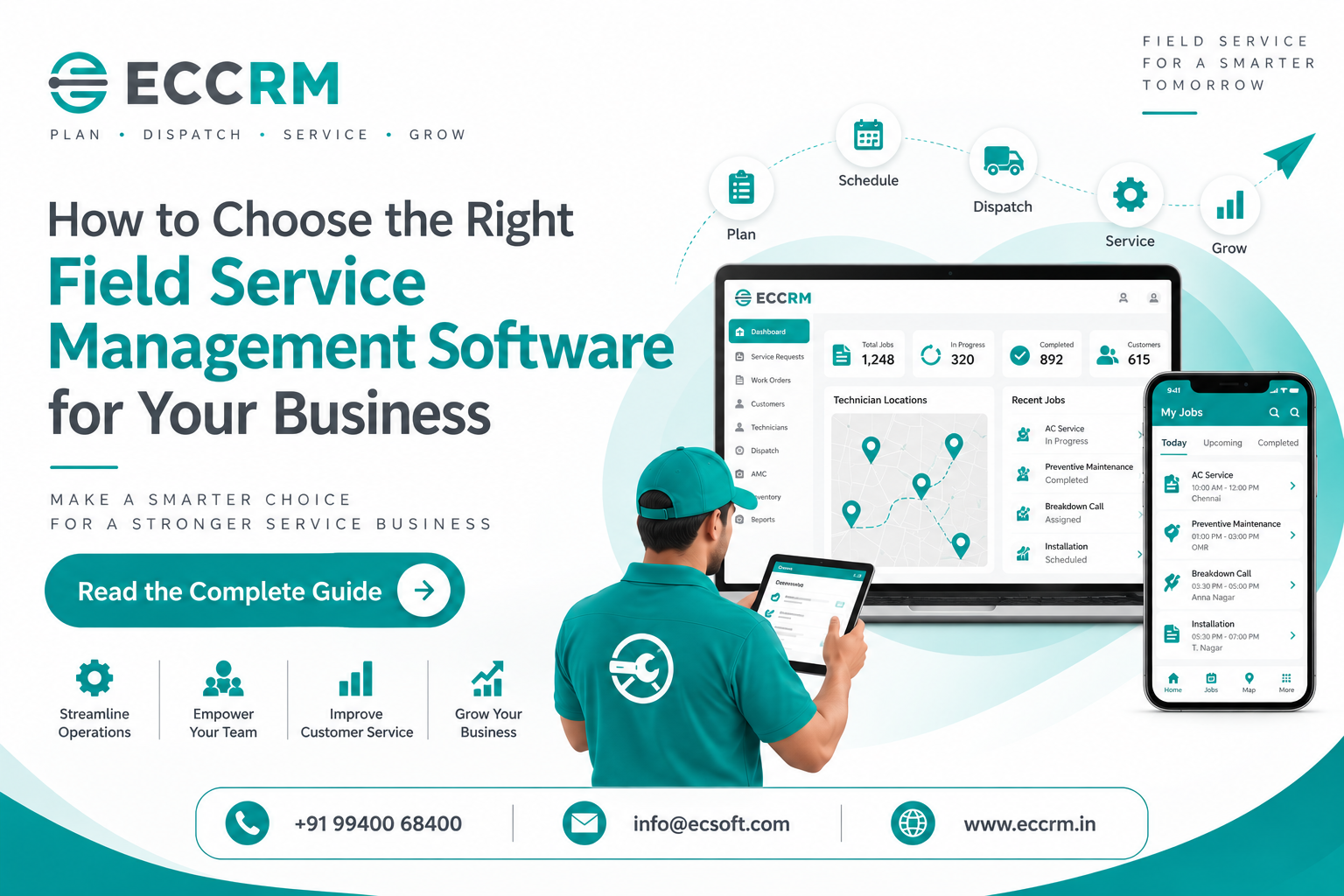
Field Service Management Software: A Complete Guide for Modern Service Businesses
Choosing the right Field Service Management Software is not simply about finding a platform with the longest feature list.
For a growing service business, the right software should make everyday work easier — from receiving a service request and assigning the right technician to completing the job, updating the customer, recording service history and generating the invoice.The challenge is that every FSM vendor can look impressive during a product demo.
The better question is:
Will this software actually fit the way your service team works?.
That is where the buying decision should begin.
Current FSM buyer research increasingly emphasizes workflow fit, scheduling and dispatch, work orders, mobile access, service history, integrations, scalability and total cost rather than simply counting features.
What is Field Service Management Software?
Field Service Management Software (FSM) is a business system designed to manage technicians and service operations that take place at customer locations.
It can connect activities such as:
- Service requests
- Customer management
- Technician scheduling
- Job assignment
- Dispatch
- GPS tracking
- Work orders
- Mobile field operations
- Service reports
- Equipment history
- Spare parts
- AMC and warranty management
- Preventive maintenance
- Billing
- Reporting
Instead of managing these activities through separate spreadsheets, phone calls, WhatsApp messages and paper forms, businesses can bring them into a connected workflow.
Modern FSM platforms are increasingly expected to connect scheduling and dispatch with mobile workforce management, work orders, inventory, customer communication, analytics and broader business systems.
Why Choosing the Right FSM Software Matters
The wrong software can create another layer of work.
Your team may still be copying information between systems, calling technicians for updates, manually checking schedules or maintaining spreadsheets alongside the new software.
That's why the goal shouldn't be:
"Which software has the most features?"
It should be:
"Which software solves our actual service problems with the least friction?"
For example, an HVAC company managing 10 technicians may have very different requirements from an equipment-service company managing 200 engineers across multiple locations.
The right FSM solution should match your:
Business size + Industry + Service workflow + Technician requirements + Growth plans
1. Start With your Existing Service Workflow
Before comparing software, document how a service job actually moves through your business.
Don't describe the ideal process.
Document what really happens today.
For example:
Customer Complaint
↓
Service Ticket
↓
Coordinator Checks Technician Availability
↓
Technician Assigned
↓
Customer Appointment Confirmed
↓
Technician Travels to Site
↓
Service Performed
↓
Parts Used
↓
Service Report
↓
Customer Confirmation
↓
Invoice
↓
Future AMC / Preventive Maintenance
Now ask:
Where are delays happening?
Where is information being entered more than once?
Where do technicians need to call the office?
Where are customers waiting for updates?
Which activities are still handled manually?
This approach is more useful than starting with a generic feature checklist. Several current FSM buying guides recommend evaluating the software against the business's real workflow rather than selecting based purely on feature counts.
2. Look for Strong Scheduling & Dispatch Capabilities
For most field service companies, technician scheduling and dispatch are at the heart of the operation.
Your software should make it easy to see:
- Available technicians
- Assigned jobs
- Technician workload
- Appointment times
- Job priority
- Technician skills
- Customer location
- Travel requirements
- Emergency service requests
The objective isn't simply to fill a technician's calendar.
It is to assign the right technician to the right job at the right time.
Scheduling and dispatch are among the features buyers most commonly prioritize when evaluating FSM software.
What to test during a demo
Don't just watch the vendor demonstrate scheduling.
Give them a real scenario:
"Two technicians are unavailable, one urgent breakdown comes in and another customer needs an appointment moved to the afternoon. Show me how your system handles it."
That tells you much more than a standard product presentation.
3. Make Sure the Mobile App Works for Technicians
Your office team may love the software.
But if your technicians don't want to use it, your implementation will struggle.
The mobile field service app should make a technician's job easier, not turn the technician into a data-entry operator.
The technician should ideally be able to access:
- Customer information
- Service requests
- Work orders
- Equipment details
- Previous service history
- Job instructions
- Checklists
- Spare parts information
- Service forms
- Photos
- Customer signatures
- Job status
Mobile access is particularly important because the technician is the person actually executing the service at the customer site. Recent FSM research identifies mobile access as a critical day-to-day capability for users.
Ask these questions before buying:
Does the mobile app work reliably in poor network conditions?
Can technicians update jobs without repeatedly calling the office?
Can they capture photos and signatures?
Is the interface simple enough for daily use?
These questions matter more than how impressive the desktop dashboard looks.
4. Evaluate GPS Tracking and Route Management
If your technicians travel between multiple customer locations, GPS tracking and route optimization can become valuable operational tools.
A good field service management system can help managers understand:
- Where technicians are
- Which jobs are in progress
- Whether technicians have reached the customer site
- Which jobs are nearby
- How much travel is involved
- Which technician may be better suited for an urgent job
But GPS shouldn't be purchased simply because it sounds impressive.
Ask what you actually want to achieve.
Is your goal:
- Better technician visibility?
- Faster dispatch?
- Reduced travel time?
- Better customer arrival updates?
- More efficient territory management?
Modern FSM platforms increasingly use location, routing and scheduling information to improve field operations.
5. Check Work Order Management
A work order management system should provide a clear record of what needs to be done, who is responsible and what happened after the job was completed.
A typical work order may include:
- Customer
- Service location
- Equipment
- Complaint
- Technician
- Scheduled date
- Job priority
- Required parts
- Work performed
- Service charges
- Job status
- Customer confirmation
The important thing is that the work order should not become another isolated record.
It should connect with scheduling, technician activity, service reports, parts and billing.
6. Look for Complete Customer & Equipment History
Imagine a technician arriving at a customer's site.
Instead of asking:
"What happened during the last visit?"
they can open the customer's service history and see previous complaints, repairs, parts replaced and service reports.
That information can make a significant difference during repeat service.
If your business services equipment, ask whether the software can maintain:
Customer → Site → Equipment → Service History
This becomes particularly valuable for HVAC, elevators, industrial equipment, electrical systems, medical equipment and other asset-intensive service businesses.
7. Check AMC & Preventive Maintenance Management
If your business operates Annual Maintenance Contracts (AMC), don't treat AMC management as an optional add-on.
Ask whether the software can help you:
- Create AMC contracts
- Define service schedules
- Plan recurring visits
- Track completed visits
- Monitor contract periods
- Manage warranty coverage
- Identify upcoming renewals
- Maintain equipment history
This changes the service operation from:
"Wait for the customer to call."
to:
"Know what maintenance is due and plan it in advance."
8. Don't Ignore Spare Parts Management
A technician can have the right skills and still fail to complete a job if the required part isn't available.
For businesses with significant service inventory, evaluate whether the FSM software can track:
- Warehouse stock
- Technician stock
- Parts issued
- Parts consumed
- Returned parts
- Parts used against specific work orders
- Reorder requirements
Connecting service jobs with inventory can give managers a clearer picture of both operational and service costs.
9. Check CRM and ERP Integration
Field service operations rarely exist alone.
Your service team may already use:
- CRM
- ERP
- Accounting software
- Inventory systems
- Payment platforms
- Communication tools
If the FSM platform cannot connect with the systems you already depend on, your team may end up manually transferring information.
Ask:
Can customer data be synchronized?
Can invoices flow into the accounting system?
Can inventory information be shared?
Can service information update the CRM?
Are APIs or standard integrations available?
Integration depth is increasingly treated as a major FSM evaluation factor, particularly for organizations that need the platform to fit into a broader business environment.
10. Evaluate Reporting & Dashboards
A dashboard shouldn't simply look attractive.
It should help management answer real business questions.
For example:
- How many service requests are pending?
- How many jobs were completed today?
- Which technicians have the highest workload?
- Which jobs are delayed?
- What is the first-time fix rate?
- How many AMC visits are due?
- Which parts are being consumed most?
- How much service revenue was generated?
- Which customers have recurring complaints?
Useful FSM reporting should turn operational data into decisions.
Industry evaluation frameworks commonly consider metrics such as first-time fix rate, technician utilization, SLA performance, repair time, inventory performance and truck-roll reduction when measuring FSM outcomes.
11. Consider Automation Before AI
AI is becoming an important part of modern field service management.
But don't choose software just because the vendor says:
"Powered by AI."
Instead, ask:
What does the AI actually do?
Useful applications can include:
- Technician scheduling assistance
- Dispatch optimization
- Route planning
- Predictive maintenance
- Service knowledge assistance
- Customer communication
- Service analytics
Current FSM research highlights AI particularly around dispatch/travel optimization and technical knowledge delivery.
The best AI feature is not the one that sounds futuristic.
It is the one that saves your team time or helps them make better decisions.
12. Choose Software That Can Grow With your Business
You may have 10 technicians today.
What happens when you have 30?
Or 100?
Your FSM platform should be able to accommodate growth in:
- Technicians
- Customers
- Locations
- Service requests
- Work orders
- Assets
- Users
- Branches
- Data
- Integrations
Scalability is particularly important if you expect to expand geographically or add new service divisions.
Don't buy software only for today's operation.
Choose a system that can support where your business is going.
13. Check Security, Permissions & Data Ownership
Your field service system may contain valuable business information.
That can include:
- Customer details
- Equipment records
- Service history
- Pricing
- Contracts
- Employee information
- Business reports
Ask the vendor about:
- User permissions
- Role-based access
- Data backups
- Authentication
- Audit trails
- Data ownership
- Data export
- Security practices
Security becomes especially important as more employees, branches and third-party users gain access to the platform.
14. Calculate the Total Cost — Not Just the Subscription
One of the easiest mistakes is comparing software based only on the monthly subscription.
The actual investment may include:
- Software licenses
- Technician users
- Additional modules
- Implementation
- Data migration
- Customization
- Integrations
- Training
- Mobile deployment
- Support
- Premium features
Current FSM pricing research shows that pricing can vary substantially depending on users, technicians, usage, features and implementation requirements.
So instead of asking:
"Which software is cheapest?"
ask:
"Which software gives us the best operational value for the money we invest?"
A cheaper platform that requires extensive manual work may cost more in the long run.
15. Don't Buy After a Sales Demo Alone
This is one of the most important recommendations.
A polished demo shows what the software can do.
A real trial shows what your team can actually do with it.
Before making a decision, test the system with realistic scenarios.
For example:
Scenario 1
Create a new service complaint.
Scenario 2
Assign it to a technician.
Scenario 3
Reschedule the appointment.
Scenario 4
Let the technician update the work order from a mobile device.
Scenario 5
Add parts used during the service.
Scenario 6
Generate a service report.
Scenario 7
Complete the job.
Scenario 8
Generate or trigger billing.
Scenario 9
Check whether the complete service history is available afterward.
This tests the entire workflow, rather than individual features.
Current buyer guidance increasingly recommends testing real workflows with actual users instead of relying solely on polished vendor demonstrations.
16. Get your Technicians Involved in the Decision
One common mistake is allowing only management to select FSM software.
The people who use the system every day should have a voice.
Ask technicians:
- Is the mobile app easy to use?
- Can you find customer information quickly?
- Can you update a job without unnecessary steps?
- Can you capture photos easily?
- Can you complete service reports from the field?
- Does the application work reliably?
- Does it actually save time?
A technically powerful system that technicians avoid using won't deliver its promised value.
A Simple Field Service Management Software Checklist
Before making your final decision, check whether the platform covers the areas that matter to your business.
7 Questions to Ask Before Buying FSM Software
Before signing a contract, ask the vendor:
1. Can you demonstrate our actual service workflow?
Not your standard demo — our workflow.
2. Can our technicians use it easily from mobile devices?
The field team needs to adopt the system for it to work.
3. Can the system integrate with our CRM, ERP and accounting tools?
Avoid creating another information silo.
4. What happens when our business grows?
Understand the limits around users, technicians, branches, jobs and data.
5. What will the total implementation cost be?
Ask about migration, training, integrations, customization and support.
6. How can we measure ROI?
Agree on metrics before implementation.
7. Can we export our data if we change platforms later?
Data ownership should never be an afterthought.
Common Mistakes to Avoid When Choosing FSM Software
Choosing Based on Price Alone
The cheapest platform isn't automatically the best value.
Buying Too Many Features
Don't pay for functionality your business will never use.
Ignoring Technician Experience
The software needs to work in the field, not just in the management office.
Skipping Integration Checks
Disconnected systems often recreate the manual work you were trying to eliminate.
Ignoring Implementation
Even excellent software can fail without proper configuration, training and adoption.
Buying Without Testing
A demo isn't the same as using the platform with real jobs.
Focusing Only on Today's Requirements
Choose a platform that can support your future growth.
What is the Best Field Service Management Software for your Business?
There is no single FSM platform that is automatically the best choice for every company.
The Best Field Service Management Software is the one that fits your industry, service workflow, team size, customer expectations and growth plans.
A small HVAC business may prioritize:
Scheduling + Mobile App + GPS + AMC
An equipment-service company may prioritize:
Work Orders + Asset History + Spare Parts + Preventive Maintenance
A larger multi-branch organization may need:
Advanced Dispatch + ERP Integration + Analytics + Security + Scalability
So don't ask:
"Which FSM software has the most features?"
Ask:
"Which FSM software can manage our complete service journey better than the way we manage it today?"
That's the question that leads to a better technology decision.
How ECCRM Can Help Manage your Field Service Operations
If you're looking for Field Service Management Software in India, ECCRM brings customer management and field service operations together in a connected platform.
ECCRM can help businesses manage:
- Service requests
- Technician scheduling
- Job dispatch
- GPS tracking
- Work orders
- Mobile CRM
- Customer and equipment service history
- Spare parts
- Warranty
- AMC management
- Preventive maintenance
- ERP integration
- Dashboards and reporting
The goal is not simply to digitize your existing paperwork.
It is to connect the people, processes and information involved in delivering every service job.
For a service business, that can mean better visibility for managers, better information for technicians and a more consistent experience for customers.
Frequently Asked Questions
What should I look for in Field Service Management Software?
Look for capabilities that match your actual workflow, including scheduling, dispatch, mobile technician access, work orders, GPS, service history, inventory, AMC, preventive maintenance, billing, reporting and integrations.
How do I choose Field Service Management Software for a small business?
Start with your most important operational problems. A small service business may benefit most from scheduling, dispatch, mobile access, customer management, work orders and basic reporting rather than paying for complex enterprise features it doesn't need.
What is the most important FSM feature?
There isn't one feature that matters to every business. However, scheduling and dispatch are central to many FSM operations, while mobile access is critical because technicians perform the actual work in the field.
Should FSM software have a mobile app?
For businesses with field technicians, a mobile app is highly valuable because technicians need access to jobs, customer information, service history and digital service forms while working at customer locations.
Does FSM software need GPS tracking?
Not every business needs GPS tracking. If your technicians travel between multiple customer locations, however, GPS can help with visibility, dispatch and route management.
Should I choose cloud-based or on-premise FSM software?
The right choice depends on your security, integration, infrastructure and operational requirements. Cloud deployment can simplify access and updates, while some organizations may have specific reasons to maintain greater control over their infrastructure.
How much does Field Service Management Software cost?
Pricing varies based on users, technicians, features, integrations, implementation and support. Compare the complete cost of ownership rather than only the subscription price.
How can I know whether an FSM platform is right for my business?
Run a practical trial using real service scenarios. Test the workflow from service request through scheduling, technician execution, service reporting, parts usage and billing before making the final decision.
Final Takeaway
Choosing Field Service Management Software shouldn't be a race to collect the most features.
Start with your people.
Understand your workflow.
Identify where time and information are being lost.
Then find a system that connects those gaps.
The right FSM software should help your team answer simple but important questions quickly:
What needs to be done?
Who should do it?
When should it happen?
Where is the technician?
What happened at the customer site?
What needs to happen next?
When those answers are available in one connected system, field service becomes easier to manage — and easier to improve.
The best field service software isn't the software with the longest feature list.
It's the software that fits your business, gets used by your team and creates measurable operational improvement.
Ready to Choose a Smarter Field Service Solution?
If you're evaluating Field Service Management Software in India and want to see how technician scheduling, dispatch, GPS tracking, work orders, AMC, preventive maintenance, service history and reporting can work together, explore ECCRM and request a personalized demonstration.
See your service workflow in action — and find out what you can automate.