


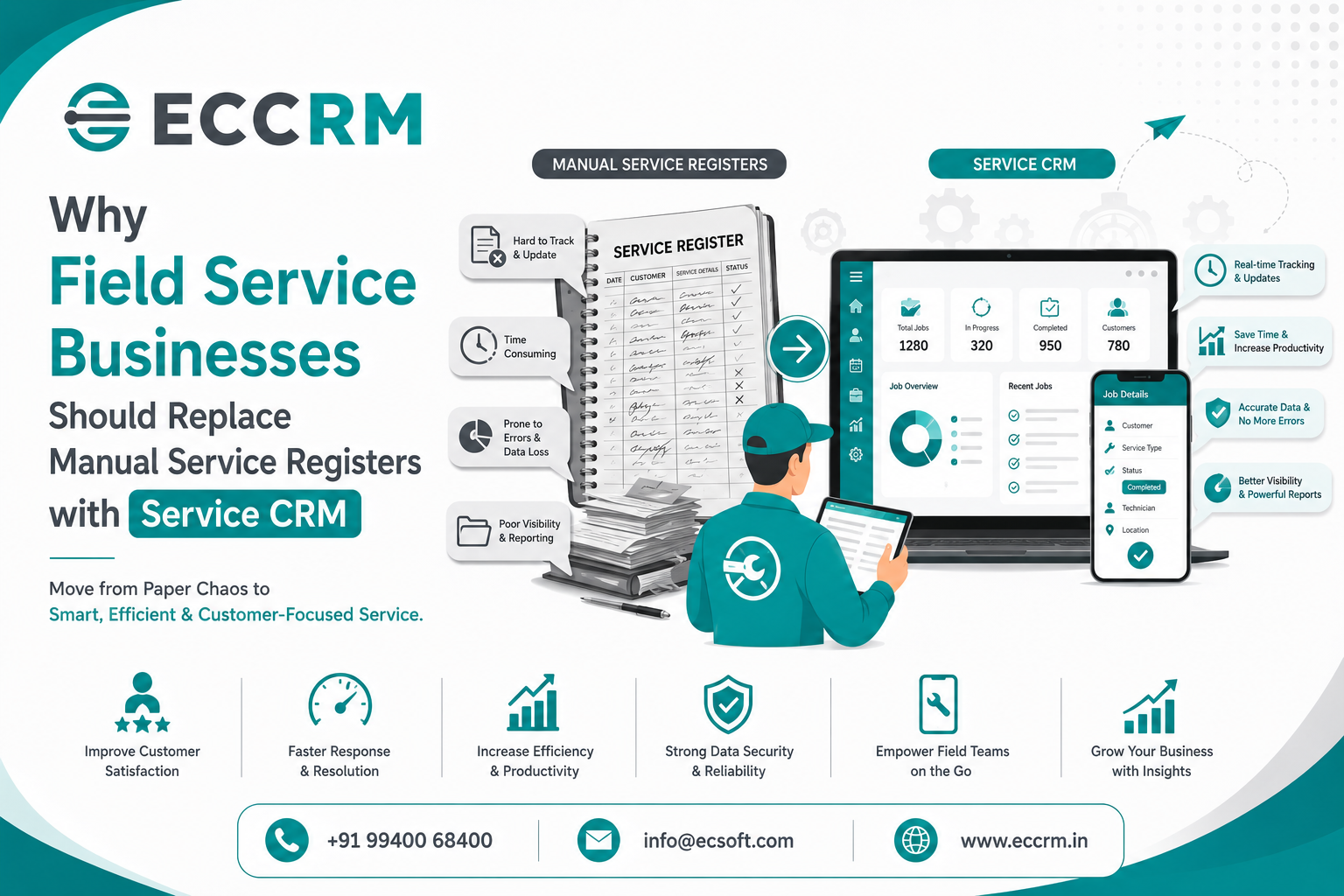
From Manual Service Registers to Smarter Service CRM Software
For many field service businesses, the service process still begins with a familiar routine: a customer calls, a service request is written into a register, a technician is assigned, and the service team follows up manually.
This process may work when the business has only a few customers and service requests. But as the customer base grows, maintaining service operations through manual service registers, notebooks, spreadsheets, phone calls, and scattered messages can become increasingly difficult.
Service teams may start facing common problems such as missed service requests, delayed technician assignments, incomplete customer records, forgotten follow-ups, difficulty tracking service history, and limited visibility into field operations.
This is where a Service CRM can make a significant difference.
A modern Service CRM software helps field service businesses manage customer complaints, service requests, technician assignments, service schedules, service history, follow-ups, AMC contracts, spare requirements, and service performance from a centralized system.
Instead of asking:
"Where did we write down that service request?"
businesses can simply check the CRM.
Instead of calling multiple technicians to find out:
"Who is handling this service?"
the service team can check the assigned technician and service status.
And instead of searching through old registers to understand:
"What service was done for this customer last time?"
the complete service history can be available within a few clicks.
In this article, we explore why field service businesses should replace manual service registers with Service CRM, the limitations of traditional service management, and how service automation can help businesses deliver faster, more organized, and more professional customer service.
What is a Service CRM?
A Service CRM (Customer Relationship Management) is a software solution designed to help businesses manage customer service operations and service-related interactions in a centralized system.
While traditional CRM systems primarily focus on sales and customer relationships, a Service CRM provides additional capabilities for businesses that handle customer complaints, field visits, technicians, installations, repairs, maintenance, and ongoing service requirements.
Depending on the business and software solution, a Service CRM can help manage:
- Customer service requests
- Complaints and service tickets
- Technician assignment
- Service scheduling
- Field visits
- Service status
- Customer service history
- AMC and warranty tracking
- Preventive maintenance
- Follow-up activities
- Spare parts requirements
- Service reports
- Technician performance
- Customer communication
- Service dashboards
- Service analytics
For field service organizations, this creates a structured workflow from:
Service Request → Assignment → Scheduling → Technician Visit → Service Completion → Customer Confirmation → Follow-Up
This is much more organized than depending entirely on handwritten service registers.
Why Manual Service Registers Are Becoming a Problem
Manual service registers have been used by service businesses for many years. They are simple, inexpensive, and easy to start with.
The problem begins when the number of customers, technicians, service requests, and service locations increases.
A physical register does not provide the visibility and automation that modern service businesses require.
Let's look at some of the major challenges.
1. Service Requests Can Easily Be Missed
When service complaints are written manually in a register, there is always a possibility that an enquiry or complaint may be overlooked.
For example, a customer may call in the morning regarding a machine breakdown.
The service executive writes the complaint in a register.
Later, several other customers call.
The service team becomes busy.
The first complaint may remain unattended.
This creates a poor customer experience.
With Service CRM software, every service request can be recorded as a service ticket or service activity.
The team can view:
- New requests
- Pending requests
- Assigned requests
- In-progress services
- Completed services
- Escalated complaints
This makes it easier to ensure that service requests are not forgotten.
2. Manual Technician Assignment Takes More Time
In a field service business, assigning the right technician is an important part of service management.
A service manager may need to consider:
- Technician availability
- Location
- Technical skill
- Current workload
- Customer priority
- Service type
- Required tools
- Required spare parts
When assignments are managed through phone calls, notebooks, or spreadsheets, the process can become time-consuming.
A Field Service CRM provides a centralized view of service assignments.
Managers can identify which technicians are:
- Available
- Assigned
- Busy
- On-site
- Completed
- Off duty
This helps improve technician management and makes service allocation more organized.
3. Finding Previous Service History Becomes Difficult
Customer service history is extremely valuable.
Consider a customer who has contacted your business multiple times regarding the same equipment.
The service team may need to know:
- When was the previous service?
- Which technician visited?
- What complaint was reported?
- What action was taken?
- Which spare part was replaced?
- Was the issue resolved?
- Is the equipment under warranty?
- Is there an active AMC?
- Was a follow-up promised?
If this information exists only in old service registers, finding it can take considerable time.
With a Customer Service CRM, service history can be maintained against the customer or asset.
Service representatives can quickly access previous service activities and understand the customer's history before responding.
This allows technicians and service teams to provide more informed support.
4. Follow-Ups Can Be Forgotten
Service does not always end when the technician leaves the customer's location.
There may be additional activities such as:
- Customer confirmation
- Spare part follow-up
- Pending payment follow-up
- Second visit
- Installation completion
- Warranty follow-up
- Preventive maintenance
- AMC renewal
- Customer feedback
When these activities are tracked manually, there is a greater risk of missing important follow-ups.
A Service CRM system can create follow-up tasks and reminders.
For example:
Complaint Received → Technician Visit → Spare Required → Spare Ordered → Follow-Up → Second Visit → Service Completed
Each stage can be tracked.
This provides better control over the complete service workflow.
5. Manual Registers Provide Limited Visibility
One of the biggest disadvantages of manual service registers is that managers cannot easily get real-time operational visibility.
A service manager may want to know:
- How many complaints are pending?
- How many technicians are currently assigned?
- Which services are delayed?
- Which complaints are high priority?
- How many services were completed today?
- Which customers are waiting for a visit?
- Which technicians have the highest workload?
- How many service requests came this month?
- How many services were completed within the expected time?
Answering these questions manually can take considerable effort.
A Service Management Software solution can provide dashboards and reports that give management a clearer view of service operations.
6. Manual Data Entry Increases the Risk of Errors
Handwritten records can contain:
- Incorrect customer names
- Wrong phone numbers
- Missing service details
- Unclear handwriting
- Incorrect dates
- Duplicate entries
- Missing technician information
- Incomplete service remarks
Even spreadsheets can create data consistency problems when multiple people update different files.
A centralized service tracking system can standardize how service information is recorded.
Required fields, dropdowns, service statuses, customer records, and predefined workflows can help improve data accuracy.
7. Service Registers Do Not Scale Easily
A manual register may be manageable when a business has:
- 20 customers
- 2 technicians
- 10 service requests per week
But what happens when the business grows to:
- 2,000 customers
- 30 technicians
- Multiple branches
- Hundreds of service requests every month
The amount of information becomes difficult to manage manually.
Growth requires better systems.
A Field Service Management Software solution can help businesses manage increasing service volumes without depending entirely on physical registers and manual coordination.
Manual Service Register vs Service CRM
The difference becomes clearer when both approaches are compared.
| Manual Service Register | Service CRM |
|---|---|
| Paper-based records | Centralized digital records |
| Manual service entry | Structured service request creation |
| Manual technician assignment | Organized technician allocation |
| Difficult service history search | Quick service history access |
| Manual follow-up | Follow-up reminders and tasks |
| Limited visibility | Real-time service dashboards |
| Difficult reporting | Automated service reports |
| Higher risk of missed requests | Better service tracking |
| Difficult to manage multiple branches | Supports structured multi-location operations |
| Difficult to scale | Designed for growing service operations |
Moving to a Service CRM is therefore not simply about replacing paper with software.
It is about creating a more organized service management process.
7 Major Benefits of Replacing Manual Service Registers with Service CRM
1. Centralized Service Request Management
A Service CRM gives service teams one place to record and manage customer requests.
Every complaint or service requirement can be tracked from the moment it is received until it is completed.
This provides greater visibility into the service workload.
2. Faster Service Scheduling
Service scheduling becomes easier when managers have access to technician availability, workload, location, and service requirements.
Instead of coordinating everything through phone calls, managers can use the CRM to organize service assignments.
This can help reduce unnecessary delays and improve technician utilization.
3. Better Technician Management
Field technicians are an important part of service delivery.
A Field Service CRM can help businesses track technician assignments and activities.
Managers can monitor:
- Assigned services
- Pending services
- Completed services
- Technician workload
- Visit schedules
- Service status
This provides better operational control.
4. Complete Customer Service History
A centralized customer service history allows service teams to understand previous interactions.
This is particularly useful for businesses that provide:
- Equipment maintenance
- Machine servicing
- Industrial maintenance
- Appliance repair
- HVAC service
- Electrical service
- Medical equipment service
- IT support
- Installation services
- Annual maintenance contracts
Knowing the customer's previous service history can help technicians prepare better for future visits.
5. Better Complaint and Ticket Tracking
A service ticket management system can organize customer complaints based on status and priority.
For example:
New → Assigned → In Progress → Waiting for Spare → Follow-Up → Completed → Closed
This makes it easier for managers to identify pending complaints and take action.
6. AMC and Warranty Tracking
Many field service businesses manage Annual Maintenance Contracts (AMC) and warranty-based services.
Tracking these manually can become difficult as the customer base grows.
A Service CRM can help businesses maintain information such as:
- AMC start date
- AMC expiry date
- Warranty period
- Service frequency
- Preventive maintenance schedule
- Contract status
- Customer details
- Equipment information
This can help service teams identify upcoming renewals and scheduled maintenance activities.
It can also create additional business opportunities through timely AMC renewal follow-ups.
7. Service Reports and Analytics
A modern Service Management Software solution can provide reports such as:
- Daily service report
- Pending service report
- Technician performance report
- Customer complaint report
- Service completion report
- AMC report
- Warranty report
- Service ageing report
- Branch-wise service report
- Customer-wise service report
These reports help managers make decisions based on actual service data rather than assumptions.
How Service CRM Improves Customer Experience
Customers expect service businesses to respond quickly and professionally.
Imagine two situations.
Situation 1: Manual Process
Customer: "I reported this issue last week. What is the status?"
Service Executive: "Let me check the register and call you back."
The executive searches through pages, calls the technician, checks another notebook, and eventually responds.
This creates frustration.
Situation 2: Service CRM
Customer: "What is the status of my service request?"
Service Executive checks the CRM and immediately sees:
Ticket: SR-1045
Technician: Assigned
Status: In Progress
Last Visit: August 8
Spare: Awaiting
Next Follow-Up: August 12
The customer receives a more confident and professional response.
This is one of the biggest advantages of CRM for field service businesses.
Service CRM Helps Create a Structured Field Service Workflow
A successful service process can be organized as:
Step 1: Customer Raises a Service Request
The request can come through:
- Phone
- Website
- Service portal
- Sales team
- Existing customer account
Step 2: Service Request Is Recorded
The service team creates a service ticket with relevant customer and complaint details.
Step 3: Service Request Is Assigned
The appropriate technician is assigned based on availability, skill, location, or service requirement.
Step 4: Technician Visits the Customer
The technician performs the required inspection, installation, maintenance, or repair.
Step 5: Service Details Are Updated
The technician or service team records:
- Work performed
- Service remarks
- Spare parts used
- Service status
- Customer feedback
- Next action
Step 6: Follow-Up Is Scheduled
If additional work is required, the next activity can be scheduled.
Step 7: Service Is Completed
Once the customer requirement is resolved, the service request can be marked as completed or closed.
This creates a consistent field service management workflow.
Service CRM Can Help Reduce Service Delays
Service delays can occur for many reasons:
- Technician unavailable
- Poor assignment process
- Missing spare parts
- Incorrect customer information
- Forgotten follow-up
- Lack of service history
- Poor communication
- Multiple service requests being handled manually
A Service CRM cannot eliminate every operational challenge, but it can provide better visibility and coordination.
When service managers can see pending requests, technician assignments, service status, and follow-up activities, it becomes easier to identify bottlenecks.
Service CRM and Preventive Maintenance
Field service businesses should not only react to complaints.
Preventive maintenance can help businesses maintain long-term customer relationships.
For example, an equipment service company may need to perform maintenance every three or six months.
A Service CRM with preventive maintenance tracking can help service teams monitor upcoming service schedules.
Instead of waiting for customers to report a problem, businesses can proactively contact customers when scheduled maintenance is approaching.
This changes the service approach from:
Reactive Service → Proactive Service
That can improve customer experience and create additional service opportunities.
Service CRM Helps Increase Repeat Business
Customer service does not end after solving one complaint.
A customer who receives consistent and professional service is more likely to continue the relationship.
A CRM can help businesses understand:
- Customer service history
- Equipment installed
- Previous complaints
- AMC status
- Warranty status
- Service frequency
- Upcoming maintenance
- Previous purchases
This information can help service teams identify opportunities for:
- AMC renewal
- Preventive maintenance
- Upgrades
- Replacement
- Additional services
- Spare parts
- Cross-selling
Therefore, Service CRM software can support not only service operations but also customer retention and revenue growth.
How to Choose the Right Service CRM for Your Business
Before selecting a Field Service CRM, businesses should understand their actual service requirements.
Important features to consider include:
Service Request Management
The CRM should make it easy to create, assign, track, and close service requests.
Technician Management
The system should provide visibility into technician assignments and workloads.
Service Scheduling
Look for features that help organize technician visits and service appointments.
Customer Service History
Customer and equipment service records should be easily accessible.
Complaint Management
The CRM should allow businesses to track complaints from registration through resolution.
AMC Management
Businesses with maintenance contracts should look for AMC and renewal tracking capabilities.
Warranty Tracking
Warranty information should be available when technicians or service executives handle customer requests.
Follow-Up Management
The system should support reminders and pending activity tracking.
Service Reports and Analytics
Management should be able to monitor service performance through reports and dashboards.
Mobile Access
Technicians working in the field can benefit from mobile CRM access, allowing them to view service assignments and update service activities while away from the office.
Customization
Different service industries have different workflows. A flexible CRM should allow businesses to configure the system around their operational requirements.
Why Field Service Businesses Should Move Beyond Manual Registers
The objective of replacing a manual service register is not simply to become "digital."
The real objective is to improve the way service operations are managed.
A Service CRM can help businesses move from:
Manual → Automated
Scattered Data → Centralized Information
Reactive Service → Proactive Service
Paper Registers → Digital Service Records
Manual Follow-Ups → Scheduled Activities
Limited Visibility → Real-Time Service Tracking
Individual Knowledge → Shared Customer Information
This transformation can become especially valuable as a field service business grows.
How ECCRM Service CRM Can Help Field Service Businesses
For businesses looking to modernize their service operations, ECCRM - Service CRM can provide a centralized platform for managing customer service activities and field service operations.
Instead of maintaining separate service registers, spreadsheets, notebooks, and communication records, businesses can organize their service information through a structured CRM system.
ECCRM can support service teams with capabilities such as:
- Service request management
- Customer complaint tracking
- Service ticket management
- Technician assignment
- Service scheduling
- Service follow-up management
- Customer service history
- AMC management
- Warranty tracking
- Service status tracking
- Service reports
- Mobile CRM access
- WhatsApp integration
- Customer information management
With a centralized Service CRM, businesses can create a more connected workflow between customers, service executives, technicians, and management.
From Service Register to Service CRM
The transformation can be simple:
Customer Complaint
↓
Service Request Created
↓
Technician Assigned
↓
Service Visit Scheduled
↓
Technician Performs Service
↓
Service Details Updated
↓
Follow-Up if Required
↓
Service Completed
↓
Customer History Updated
This provides a structured approach to field service management while reducing dependence on manual records.
Industries That Can Benefit from Service CRM
A Service CRM can be useful across many industries where technicians regularly visit customer locations.
Equipment Maintenance Companies
Track equipment installations, repairs, maintenance schedules, and service history.
HVAC Service Companies
Manage installation, repair, preventive maintenance, and AMC services.
Electrical Service Businesses
Track customer complaints, technician assignments, field visits, and service completion.
Industrial Machinery Service
Manage machine breakdowns, preventive maintenance, spare parts, and technician visits.
Medical Equipment Service
Maintain equipment-wise service records, warranty information, maintenance schedules, and service activities.
IT and Technical Support Companies
Manage customer support requests, field visits, installations, and technical issues.
Appliance Service Businesses
Track customer complaints, repair requirements, technician assignments, and spare parts.
Security and Automation Companies
Manage installation, maintenance, warranty, AMC, and recurring service requirements.
Key Signs Your Business Has Outgrown Manual Service Registers
Your business may be ready for a Service CRM if:
- Service requests are frequently missed
- Customers regularly ask for service status
- Technicians are difficult to coordinate
- Service history takes time to find
- Follow-ups are forgotten
- Multiple registers are being maintained
- Different teams maintain separate spreadsheets
- Managers lack service visibility
- AMC renewals are being missed
- Service reports take too much manual effort
- Customer complaints are increasing
- Your business is adding more technicians or branches
If several of these problems sound familiar, moving to Service Management Software can be an important step toward improving operational efficiency.
Frequently Asked Questions About Service CRM
What is Service CRM software?
Service CRM software is a customer relationship management solution designed to help businesses manage customer service requests, complaints, technicians, service visits, follow-ups, maintenance, AMC contracts, and service history from a centralized platform.
Why should field service businesses replace manual service registers?
Manual registers can make it difficult to track service requests, technician assignments, customer history, follow-ups, and service performance as the business grows. A Service CRM provides centralized records, structured workflows, tracking, reminders, and reporting.
How does Service CRM improve field service management?
A Field Service CRM can help businesses organize service requests, assign technicians, schedule visits, track service status, maintain customer history, and monitor service performance.
Can Service CRM help manage technicians?
Yes. A Service CRM can help service managers track technician assignments, workloads, service visits, pending tasks, and completed services.
Can Service CRM track AMC and warranty services?
Depending on the CRM solution, businesses can track AMC contracts, warranty periods, maintenance schedules, service history, and renewal activities.
Does Service CRM help reduce missed follow-ups?
Yes. Follow-up tasks, reminders, service statuses, and pending activities can help service teams maintain better control over customer service requirements.
Is Service CRM suitable for small field service businesses?
Yes. Small and growing service businesses can benefit from centralized customer records, service tracking, technician management, and organized follow-ups. A scalable CRM for field service businesses can grow alongside the organization.
What is the difference between CRM and Service CRM?
A traditional CRM may focus heavily on sales, leads, and customer relationships. A Service CRM adds service-specific capabilities such as complaints, service tickets, technician assignments, field visits, maintenance schedules, service history, and AMC management.
Final Thoughts
Manual service registers may have been sufficient when service operations were small.
But as customer expectations increase and field service businesses grow, relying on notebooks, registers, spreadsheets, phone calls, and scattered messages can make service management more difficult.
A modern Service CRM provides a centralized way to manage customer requests, technician assignments, service schedules, complaints, follow-ups, service history, AMC contracts, and service performance.
The transformation is not simply:
Paper → Software
It is:
Manual Service Management → Structured Service Management
Reactive Service → Proactive Customer Service
Scattered Information → Centralized Customer Data
Manual Follow-Up → Organized Service Workflow
Limited Visibility → Data-Driven Service Management
For field service businesses that want to improve service efficiency, reduce missed requests, provide faster customer responses, and build stronger long-term customer relationships, adopting the right Field Service CRM software can be a valuable step.
If your service team is still depending on manual service registers, now may be the right time to evaluate how much time, information, and business opportunity could be saved by moving to a centralized Service CRM solution.
Better service management creates better customer experiences. Better customer experiences create stronger customer relationships.
Explore ECCRM - Service CRM and take the next step toward more organized, efficient, and scalable field service management.