


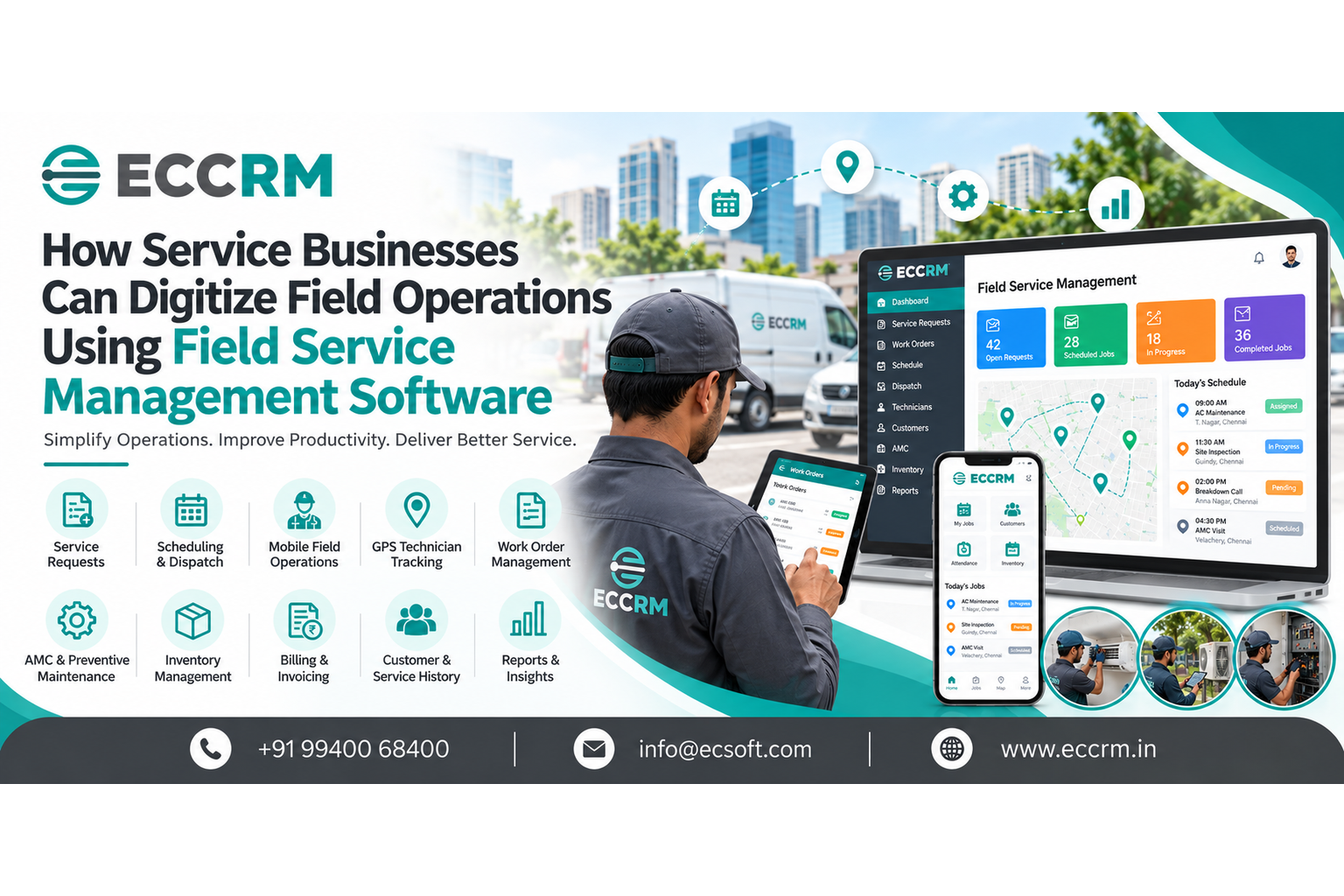
How Service Businesses Can Digitize Field Operations Using Field Service Management Software
Running a service business often means managing two very different worlds at the same time. There is the office, where customer calls come in, jobs are scheduled, technicians are assigned, parts are arranged and invoices are prepared. Then there is the field, where technicians travel to customer locations, diagnose problems, perform service, collect information and report what happened. When these two sides are connected, service operations can run smoothly.
When they are not, small gaps quickly become operational problems. A customer calls for service. Someone writes it down. A technician is assigned over the phone. The appointment is updated in Excel. The technician reaches the site and calls the office for customer history. A paper service report comes back later. Parts used during the job are entered separately. Someone manually updates the invoice. A few weeks later, nobody remembers when the equipment was last serviced.
This is where Field Service Management Software can make a practical difference. Instead of managing field operations through disconnected spreadsheets, phone calls, WhatsApp messages and paper records, businesses can bring customers, technicians, service requests, schedules, work orders, service history, inventory and billing into one connected workflow.
What Does It Mean to Digitize Field Operations?
Digitizing field operations means replacing fragmented, manual processes with connected digital workflows.
It doesn't simply mean giving technicians an app.
A properly digitized field service operation connects what happens in the office with what happens at the customer location.
For example:
Customer Request → Service Ticket → Technician Assignment → Scheduling → Dispatch → Mobile Job → Work Order → Service Report → Parts Used → Billing → Service History → Follow-up
Each stage creates information that can be used by the next stage.
That is the real value of field service automation.
The goal isn't to add technology for the sake of technology.
The goal is to make everyday service work easier to coordinate, easier to track and easier to improve.
Why Are Service Businesses Moving Away From Manual Field Operations?
Manual processes can work when a business has only a few customers and technicians.
As the operation grows, however, the number of moving parts increases.
You may have:
- More service requests
- More technicians
- Multiple locations
- Recurring AMC visits
- Emergency breakdown calls
- Preventive maintenance schedules
- Spare parts to track
- Different technician skill sets
- Customer follow-ups
- Service reports
- Invoices and payments
Managing all of this through separate tools creates information gaps.
A spreadsheet may show the schedule.
WhatsApp may contain the latest technician update.
A paper report may contain the service details.
Another file may contain the customer's AMC information.
The finance team may have the invoice.
The result is not necessarily a lack of information.
It is a lack of connected information.
That's one of the biggest problems a field service management system is designed to solve.
How Field Service Management Software Digitizes the Complete Service Workflow
A good system should follow the way your business actually works.
Rather than forcing technicians and office staff to work around software, the software should connect the existing service process.
Here's what that can look like.
1. Capture Every Service Request Digitally
The process usually begins with a customer needing assistance.
Instead of relying on notebooks, emails, phone messages or scattered spreadsheets, businesses can create a centralized service request or service ticket.
The record can include:
- Customer details
- Service location
- Equipment or asset
- Complaint details
- Priority
- Previous service history
- AMC or warranty information
- Assigned technician
- Scheduled date
- Current status
This gives the service team one place to understand what needs to happen.
2. Schedule Technicians Based on Real Availability
Technician scheduling becomes difficult when appointments are managed manually.
A technician may already have several jobs.
Another technician may have the right technical skill but be working in another location.
Someone else may be available nearby.
Field service scheduling software helps service managers consider these factors when planning jobs.
Instead of asking:
"Who can I call?"
the team can ask:
"Who is available, qualified and positioned to handle this job?"
That is a much better way to manage field capacity.
3. Dispatch the Right Technician to the Right Job
Scheduling decides when the job should happen.
Dispatch determines who should handle it.
A field service dispatch system can help teams assign jobs based on factors such as:
- Technician availability
- Skills
- Location
- Job priority
- Workload
- Customer requirements
- Service territory
This becomes especially valuable when service teams handle urgent breakdowns alongside planned appointments.
4. Give Technicians the Information They Need on Mobile
A technician shouldn't have to repeatedly call the office for basic information.
With a mobile field service app, technicians can access relevant job information from the field.
Depending on the system, they may be able to view:
- Customer details
- Job instructions
- Equipment information
- Previous service history
- Assigned tasks
- Parts requirements
- Service checklists
- Appointment details
They can also update the job after completing the work.
This creates a direct connection between the technician and the service office.
Current FSM research highlights mobile access as particularly important because technicians depend on it for day-to-day field work.
5. Use GPS to Improve Field Visibility
For businesses with technicians travelling between customer locations, knowing where jobs stand can be difficult.
A GPS technician tracking capability can provide better operational visibility.
Managers can understand:
- Technician location
- Job progress
- Travel activity
- Service territory coverage
- Arrival and departure information
The purpose shouldn't be simply to "track employees."
The better business objective is better coordination.
If an urgent customer request arrives, the service manager can make a more informed assignment decision.
6. Manage Work Orders From Start to Finish
A service request is only the beginning.
The actual work needs to be planned, assigned, executed and closed.
That's where work order management software becomes important.
A digital work order can connect:
Job → Technician → Customer → Equipment → Parts → Service Work → Report → Billing
Instead of having different records for each step, the business maintains one connected job history.
This makes it easier to know:
- What work was requested?
- Who handled it?
- When was it scheduled?
- What was found?
- What work was completed?
- What parts were used?
- What is still pending?
- Was the customer billed?
7. Replace Paper Service Reports With Digital Reports
Paper reports create an information gap between the field and office.
A technician may complete a job in the afternoon, but the office may not see the report until later.
With digital service reports, technicians can record job information from the field.
Depending on the workflow, this may include:
- Work performed
- Technician observations
- Parts used
- Photos
- Customer remarks
- Service checklist
- Completion status
- Customer acknowledgement
The information can then become part of the customer's service history.
8. Build a Complete Customer and Equipment History
This is one of the most valuable outcomes of digitizing field operations.
Imagine a technician arrives at a customer's site.
Instead of starting from scratch, they can see:
Previous service → Complaint → Parts replaced → Technician notes → Equipment history → Next maintenance requirement
That context can help technicians understand the asset faster and make service conversations more informed.
For businesses servicing equipment, machines, elevators, HVAC systems, electrical installations, medical equipment or other assets, this history can become extremely valuable.
9. Digitize AMC and Preventive Maintenance
Recurring service is often one of the most difficult areas to manage manually.
A business may have hundreds of customers under Annual Maintenance Contracts (AMC).
Remembering every upcoming visit manually is risky.
An AMC management system can organize:
- Contract dates
- Covered equipment
- Service frequency
- Upcoming visits
- Contract status
- Renewal requirements
- Service history
Similarly, preventive maintenance software can help businesses plan recurring maintenance before equipment problems become urgent breakdowns.
Instead of operating only when something fails, the service team can work proactively.
10. Connect Spare Parts With Service Jobs
Technician productivity isn't only about scheduling.
A technician can reach the customer quickly and still fail to complete the job if the required part isn't available.
That's why inventory and spare parts management should be connected to field operations.
The business can track:
- Parts used on a job
- Technician stock
- Warehouse stock
- Parts issued
- Parts returned
- Reorder requirements
This creates a connection between:
Service Job → Parts Used → Inventory → Cost → Billing
That is far more useful than keeping service and inventory information in separate systems.
11. Connect Completed Service Work With Billing
Another common problem with manual service operations is the gap between completed work and invoicing.
A technician completes the job.
The service report reaches the office.
Someone checks the report.
Another person prepares the invoice.
Information may be entered again.
A connected system can reduce this repeated work by linking completed service activities with billing workflows.
This can help businesses move from:
Completed Job → Waiting for Information → Manual Entry → Invoice
towards:
Completed Job → Verified Service Data → Billing Workflow
Billing and invoicing are among the commonly prioritized capabilities when businesses evaluate FSM software.
12. Give Managers a Real-Time View of Service Operations
Once field data is centralized, management doesn't have to depend entirely on phone calls and spreadsheets to understand what's happening.
A field service dashboard can provide visibility into areas such as:
- Open service requests
- Today's scheduled jobs
- Pending work orders
- Technician workload
- Completed jobs
- Delayed jobs
- AMC services due
- Preventive maintenance schedules
- Parts usage
- Billing status
This changes the role of management.
Instead of spending time asking:
"What is happening with this job?"
they can spend more time asking:
"Why are these jobs delayed, and what can we improve?"
That's where operational data becomes useful.
Manual Field Operations vs Digitized Field Operations
| Manual Approach | Digitized Field Operations |
|---|---|
| Excel-based scheduling | Centralized scheduling |
| Phone-based dispatch | Digital technician assignment |
| WhatsApp updates | Structured job updates |
| Paper service reports | Digital service reports |
| Manual technician tracking | GPS/location visibility |
| Separate customer records | Centralized customer history |
| Manual AMC reminders | Planned AMC schedules |
| Separate spare-parts records | Connected inventory |
| Repeated data entry | Connected workflows |
| Delayed management information | Real-time operational visibility |
What Should Service Businesses Digitize First?
Not every business needs to digitize everything on day one.
A practical approach is to start with the areas causing the most operational friction.
Start with these five:
1. Service Requests
Create one place for every incoming service requirement.
2. Scheduling and Dispatch
Make technician assignment easier and more structured.
3. Mobile Technician Operations
Give technicians access to jobs, customer information and service history.
4. Work Orders and Service Reports
Create a digital record of what actually happened at the customer location.
5. Customer and Equipment History
Make previous service information available for future jobs.
Once these areas are working well, businesses can expand into:
AMC → Preventive Maintenance → Inventory → Billing → Analytics → Automation → AI
This phased approach is often more practical than trying to digitize every process at once.
Which Service Businesses Can Benefit From Field Service Management Software?
Field service software isn't limited to one industry.
It can be useful wherever employees travel to customer locations to install, inspect, repair, maintain or service products and equipment.
Examples include:
- HVAC service companies
- Elevator and escalator service companies
- Electrical contractors
- Plumbing companies
- Solar & UPS Batteries service providers
- Security and CCTV companies
- Appliance service businesses
- Industrial equipment service companies
- Medical equipment service providers
- IT and network service companies
- Fire and safety equipment companies
- RO Water treatment and purification companies
- Facility maintenance companies
- Automotive service businesses
- Cleaning service businesses
- Computer & Laptop service businesses
- Pest Control Business
The exact workflow will differ by industry, which is why businesses should evaluate software based on their actual service process rather than choosing a platform simply because it has a long feature list.
How to Know If Your Business Is Ready for Field Service Software
You may already be at the point where manual processes are costing your team time if you frequently experience questions like:
"Which technician is handling this job?"
"Did the technician reach the customer?"
"When was this machine last serviced?"
"Which parts were used?"
"Which AMC visits are due this month?"
"Why is this invoice still pending?"
"How many jobs did we complete today?"
If answering these questions requires searching through Excel files, WhatsApp conversations, phone calls and paper reports, your field operation probably has a process problem rather than simply a people problem.
That's a strong signal that it may be time to evaluate a field service management system.
What to Look for When Choosing Field Service Management Software
Don't choose software based on the number of features listed on a website.
Start with your workflow.
Ask:
Can it manage the complete service lifecycle?
Request → Schedule → Dispatch → Execute → Report → Parts → Invoice → History
Can technicians actually use it?
A feature-rich system is of little value if technicians find the mobile workflow difficult.
Can it integrate with your existing systems?
Look at:
- CRM
- ERP
- Accounting
- Inventory
- Billing
- Customer communication
Can it support your growth?
The system should work not only for today's technician count but also as your service operation expands.
Can you measure improvement?
Look for operational visibility around:
- Job completion
- Response time
- Technician workload
- Repeat visits
- Pending jobs
- Service revenue
- Parts usage
- Customer service performance
The right field service management software should solve operational problems, not simply add another application to your technology stack.
Where AI and Automation Fit Into Field Operations
AI should not be added simply because it is a current technology trend.
The useful question is:
Where can automation or AI remove a real operational bottleneck?
For example, AI and automation can potentially assist with:
- Technician-job matching
- Scheduling recommendations
- Route planning
- Job prioritization
- Automated customer notifications
- Service reminders
- Report summarization
- Service analytics
- Identifying recurring service issues
Current FSM research also points toward growing adoption of AI-enhanced capabilities, particularly around scheduling, job updates and analytics.
But the foundation still matters.
Bad data + AI = bad decisions.
If customer information, technician availability, service history and job status are scattered across different systems, automation has limited value.
Digitization comes first.
Connected data comes next.
Then automation and AI can become genuinely useful.
How FieldCRM Can Help Digitize Field Operations
For service businesses looking to move away from disconnected spreadsheets, phone calls and paper-based processes, FieldCRM can be positioned as a centralized platform for managing field service operations.
The platform can bring together key activities such as:
- Service request management
- Customer management
- Technician scheduling
- Job dispatch
- GPS/location tracking
- Mobile field operations
- Work order management
- Digital service reports
- Customer and equipment history
- AMC management
- Preventive maintenance
- Spare parts tracking
- Billing workflows
- Service dashboards and reporting
The important idea is not simply having all these features.
The value comes from connecting them into one service workflow.
For example:
Customer Complaint
↓
Service Ticket
↓
Technician Assignment
↓
Schedule & Dispatch
↓
Mobile Field Visit
↓
Work Order
↓
Parts Used
↓
Digital Service Report
↓
Billing
↓
Customer History
↓
AMC / Preventive Maintenance
That connected workflow is what turns individual software features into a field service management system.
A Practical Digital Transformation Roadmap for Service Businesses
If you're starting from Excel, WhatsApp and paper reports, don't try to change everything overnight.
Phase 1 — Organize
Centralize:
- Customers
- Contacts
- Equipment
- Service requests
- Technician information
Phase 2 — Digitize Field Work
Introduce:
- Scheduling
- Dispatch
- Mobile technician app
- Work orders
- Digital service reports
Phase 3 — Connect Operations
Add:
- GPS tracking
- Inventory
- Spare parts
- AMC
- Preventive maintenance
- Billing
Phase 4 — Improve Visibility
Use:
- Dashboards
- Reports
- Technician performance insights
- Service analytics
Phase 5 — Automate
Introduce appropriate:
- Notifications
- Reminders
- Workflow automation
- Scheduling assistance
- AI-supported insights
This approach allows the business to improve progressively instead of overwhelming employees with a completely new process.
The Real Business Value of Digitizing Field Operations
The biggest benefit isn't that your business has "digital service software."
The real benefit is what happens afterward.
Your service team can spend less time searching for information.
Managers can spend less time chasing updates.
Technicians can spend less time calling the office for basic job details.
Customers can receive clearer updates.
Service records become easier to find.
Recurring maintenance becomes easier to manage.
And management gets a clearer picture of what's happening across the field operation.
In other words:
Field service digitization isn't about replacing people. It's about giving people better information and better processes.
Frequently Asked Questions
What is Field Service Management Software?
Field Service Management Software is a system used to manage service operations involving employees who work at customer locations. It typically connects scheduling, dispatch, mobile technician operations, work orders, service history, inventory, billing and reporting in one workflow.
How can service businesses digitize field operations?
Service businesses can digitize field operations by replacing disconnected spreadsheets, paper reports and manual coordination with centralized service requests, technician scheduling, digital dispatch, mobile work orders, GPS visibility, digital service reports and connected customer history.
What is the difference between CRM and Field Service Management Software?
A CRM primarily focuses on customer relationships, interactions, leads and sales activities. Field Service Management Software focuses on executing service work in the field, including technician scheduling, dispatch, work orders, mobile operations, service history and maintenance.
Modern service businesses may benefit from connecting both.
Is Field Service Management Software useful for small businesses?
Yes. Small businesses can benefit when manual scheduling, technician coordination, service reporting and customer follow-ups begin taking significant time. The right system should match the company's actual workflow rather than adding unnecessary complexity.
Does field service software include a mobile app?
Many modern FSM platforms provide mobile access so technicians can view assignments, access customer information, update work orders and submit service information from the field. Mobile usability should be evaluated carefully because technicians are among the primary day-to-day users.
Can Field Service Management Software handle AMC and preventive maintenance?
Yes, platforms designed for maintenance-oriented service businesses can manage recurring contracts, scheduled visits and preventive maintenance workflows. Businesses should confirm that the specific AMC and maintenance capabilities match their operational requirements.
Can field service software integrate with ERP and accounting systems?
Many platforms support integrations or connected workflows with CRM, ERP, accounting, inventory and billing systems. Integration capability should be checked against the systems your business already uses.
Final Takeaway
Digitizing field operations doesn't mean replacing every existing process overnight.
It starts with identifying where work gets delayed, information gets lost or employees spend too much time coordinating manually.
For many service businesses, that starts with:
Scheduling.
Then:
Dispatch.
Then:
Mobile technician operations.
Then:
Work orders and service reports.
And eventually:
AMC, preventive maintenance, inventory, billing and analytics.
The right Field Service Management Software connects these activities into one practical workflow.
The result isn't simply a more modern-looking service operation.
It is a service business where the office knows what's happening in the field, technicians have the information they need, customers receive better service visibility, and management can make decisions using actual operational data.
That's the real purpose of field service digitization.
Ready to Digitize Your Field Service Operations?
If your service team is still managing technicians through Excel, WhatsApp, phone calls and paper reports, it may be time to move to a connected Field Service Management Software platform.
Explore how FieldCRM can help you manage service requests, technician scheduling, dispatch, GPS tracking, mobile field operations, work orders, AMC, preventive maintenance, service history and reporting from one platform.