


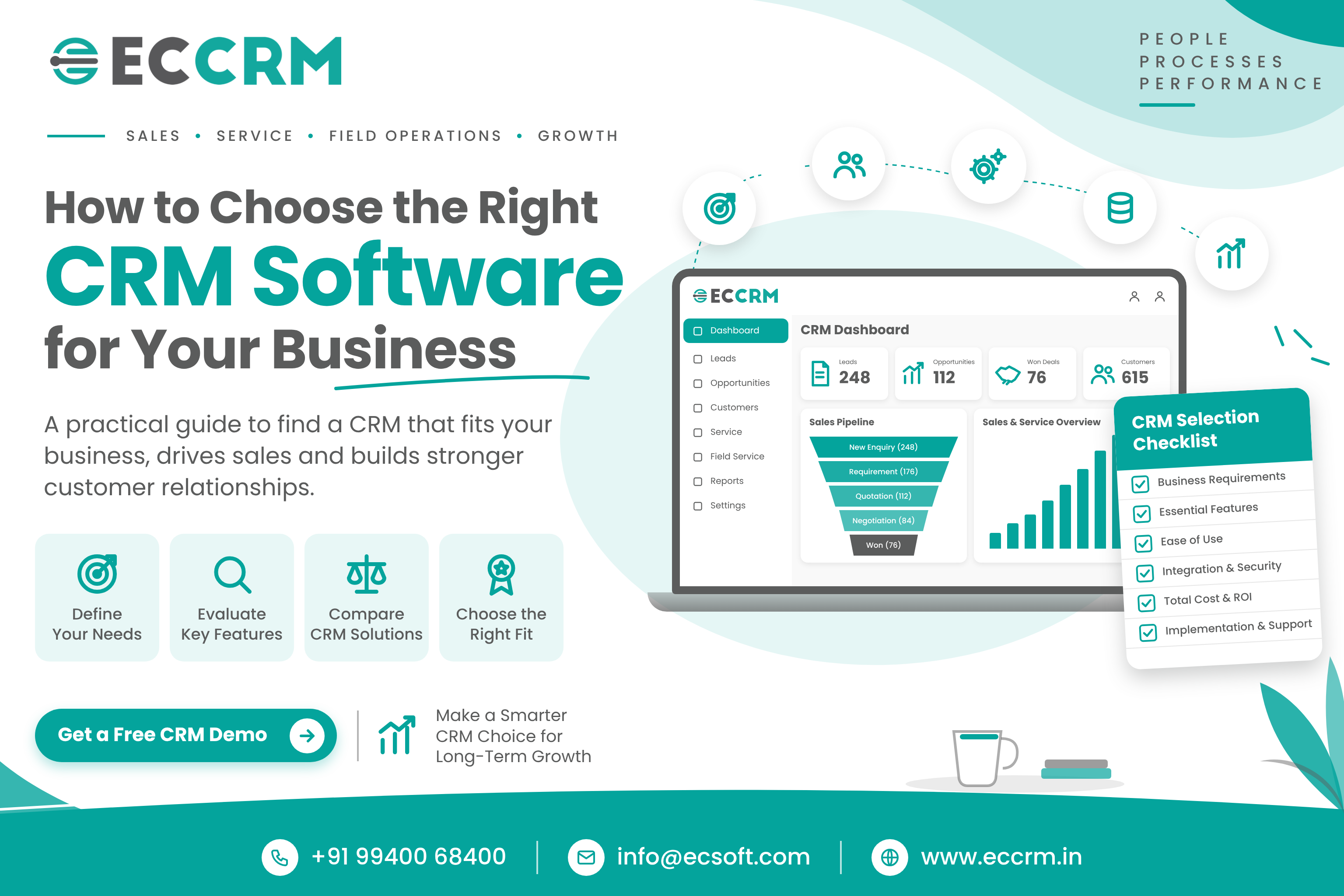
Important Factors to Consider When Choosing CRM Software
Choosing CRM software is an important business decision. The right platform can help your team manage customer information, follow up on enquiries, monitor sales opportunities and coordinate customer service. The wrong one can introduce unnecessary complexity, increase operating costs and leave employees returning to spreadsheets and manual processes.
With so many CRM solutions available, how do you know which one is right for your business?
The answer is not simply to select the most popular CRM or the platform with the longest feature list. It is to understand how your business works, identify what your teams need and evaluate each solution against real business situations.
A small company managing a few sales enquiries has different requirements from a manufacturer handling dealer relationships, quotations and after-sales service. A maintenance company coordinating field technicians also needs a different set of capabilities from a business focused mainly on sales.
This guide explains how to choose the right CRM software for your business, what features to evaluate, how to compare CRM providers, what questions to ask during a demo and how to make a decision that continues to support your organisation as it grows.
What Is CRM Software and Why Does Choosing the Right One Matter?
CRM stands for Customer Relationship Management. CRM software is a business application used to organise customer information and manage activities such as lead handling, sales opportunities, customer communication, follow-ups and service requests.
Instead of maintaining customer details across separate spreadsheets, email conversations and individual employee records, a CRM system provides a more structured way to manage customer-facing activities.
Consider a simple example.
A prospective customer submits an enquiry through your website. A sales representative needs to contact the prospect, understand the requirement, arrange a discussion and possibly prepare a quotation. If the prospect needs additional information, another follow-up may be required.
Once the sale is completed, the customer may contact your business for technical assistance or maintenance.
Without an organised process, important information can become scattered between employees and departments. A suitable CRM system helps connect these activities through accessible customer records and defined workflows.
The right CRM software should fit your business process, not force your employees to change every process simply to accommodate the software.
That is why CRM selection deserves careful evaluation before making a purchase.
10 Important Factors to Consider When Choosing CRM Software
There is no single CRM platform that is ideal for every organisation. The Best CRM software for your business depends on your processes, team size, customer interactions, industry requirements and future plans.
Use the following ten factors to evaluate your options.
1. Start by Identifying Your Business Requirements
Before comparing CRM providers, identify the actual problems you want the software to solve.
Many businesses begin their search by looking at product features. A better starting point is to examine how customer information and business enquiries are currently managed.
Ask your team questions such as:
- Where do new customer enquiries come from?
- How are leads recorded and assigned?
- Who is responsible for customer follow-ups?
- How does management monitor sales opportunities?
- How are quotations prepared and tracked?
- How are customer complaints and service requests handled?
- Do field employees need access to customer information?
- Which activities currently require repetitive manual work?
Discuss these questions with the people who will use the CRM every day. Sales representatives, service coordinators, managers and business owners may have different requirements.
Next, divide your requirements into three categories:
Must-have requirements: Activities the CRM must support for your business to operate effectively.
Important requirements: Capabilities that would improve productivity or coordination.
Future requirements: Features you may need as your team, customer base or operations expand.
This simple exercise helps prevent unnecessary spending on features that look impressive during a demonstration but offer little practical value to your team.
2. Evaluate the Essential CRM Software Features
Once you understand your requirements, evaluate the features available in each CRM system.
Do not assume that every CRM product offers the same capabilities. Some platforms focus mainly on sales, while others provide customer service, field service or broader customer management functions.
Here are the important CRM features to examine.
Lead and Enquiry Management
Lead management helps businesses capture, organise, assign and monitor potential customers.
Check whether the CRM allows your team to:
- Record enquiries from relevant sources.
- Identify lead sources.
- Assign leads to employees.
- Update lead status.
- Maintain enquiry history.
- Monitor lead conversion progress.
If your business receives enquiries from websites, telephone calls, campaigns and sales representatives, make sure the CRM can accommodate the sources and assignment process you actually use.
Contact and Account Management
Customer records should be easy to find, update and understand.
Evaluate whether the CRM can maintain customer contact details, company information, communication history and related opportunities.
For B2B businesses, account management is particularly useful because several employees may communicate with different contacts from the same organisation.
Sales Pipeline Management
A sales pipeline provides visibility into opportunities at different stages of the sales process.
Check whether your team can define suitable stages, move opportunities between stages and identify deals that require attention.
A sales manager should be able to understand which opportunities are new, which require follow-up, which have quotations pending and which are approaching closure.
Task and Follow-Up Management
Customer relationships often depend on timely communication.
Look for task creation, reminders, appointment scheduling and activity tracking. Confirm whether employees can view their assigned activities and maintain records of completed and pending follow-ups.
Quotation and Sales Order Management
If your business regularly prepares quotations, evaluate how the CRM handles quotation records and sales-related activities.
Check whether quotations can be associated with customer records and sales opportunities, and whether the available workflow matches your commercial process.
Customer Service and Ticket Management
For businesses that provide post-sales support, service management is an important consideration.
Evaluate service request creation, complaint tracking, assignment, priority management, status updates and customer service history.
Field Service Management
Businesses that send technicians or service employees to customer locations should examine field service capabilities separately.
Depending on the platform, these may include service request allocation, technician scheduling, work order management, field activity tracking, digital service reports and mobile access.
Also evaluate whether AMC, warranty and maintenance-related workflows are supported if they are important to your business.
Mobile CRM Application
A mobile CRM application can be useful for sales representatives, managers and field employees who work away from the office.
Check which activities are available through the mobile application rather than assuming that the mobile version includes every desktop feature.
Reports and Dashboards
Reports should help management understand the information that matters to the business.
Evaluate available reports for lead sources, sales activities, opportunities, pending follow-ups, customer requests and service performance.
Ask whether reports can be filtered by employee, date, department or other relevant business dimensions.
Workflow Automation
Automation may help reduce repetitive administrative work.
Check whether the CRM supports relevant functions such as task creation, activity notifications, lead assignment rules, reminders and approval workflows.
The objective is not to automate everything. It is to identify routine activities where automation can improve consistency without making the process unnecessarily complicated.
3. Choose a CRM That Matches Your Industry and Business Model
Two businesses may use CRM software for completely different reasons.
A software company may need to manage enquiries, client discussions, sales opportunities and project-related communication. A manufacturer may need customer account management, dealer enquiries, quotations and after-sales service. A maintenance company may need to coordinate service requests and technicians.
Therefore, evaluate CRM software based on your business model rather than choosing a product simply because it is popular in the market.
Consider these examples:
| Business type | CRM capabilities to prioritise |
|---|---|
| Small businesses | Contact management, lead tracking, follow-ups and basic reports |
| Manufacturing companies | Account management, dealer enquiries, quotations and after-sales service |
| IT and software companies | Lead management, sales pipeline, client communication and support |
| Trading and distribution | Customer accounts, sales enquiries, quotations and follow-ups |
| Service businesses | Service requests, complaints, appointments and service history |
| Equipment and maintenance companies | Work orders, technician coordination, AMC and warranty workflows |
| Real estate and consulting | Prospect management, meeting schedules, communication history and opportunity tracking |
If your organisation operates across multiple departments, consider whether one CRM can support the required activities or whether integration with other business systems will be necessary.
4. Check Ease of Use and Employee Adoption
A CRM system may have excellent features, but those features provide little value if employees find the software difficult to use.
Employee adoption is one of the most important considerations during CRM selection.
Imagine a sales representative who needs to record every customer call, update an opportunity and schedule the next follow-up. If each activity requires too many steps, the employee may postpone updates or maintain separate records.
During your evaluation, ask a few actual users to test common activities:
- Can they create a customer record without difficulty?
- Can they register and assign a new enquiry?
- Can they update an opportunity?
- Can they schedule a follow-up?
- Can they find previous customer interactions?
- Can they understand their daily task list?
- Can they access the information they need without unnecessary navigation?
Do not rely only on the sales presentation. Let the employees who will use the CRM participate in the evaluation.
A practical, understandable system is often more valuable than a complex platform with features that employees rarely use.
5. Evaluate Customisation and Workflow Flexibility
Every business has its own way of managing customers.
A standard CRM workflow may be sufficient for one organisation but unsuitable for another.
For example, a company may follow a sales process involving enquiry registration, requirement analysis, product demonstration, quotation preparation, negotiation and order confirmation.
Another company may have a service workflow involving complaint registration, priority assignment, technician allocation, customer visit, service reporting and closure.
Evaluate whether the CRM allows relevant customisation, such as:
- Custom fields.
- Lead and opportunity stages.
- User roles and responsibilities.
- Task and approval workflows.
- Reports and dashboards.
- Notifications and business rules.
- Department-specific processes.
Ask the provider which changes can be made through standard configuration and which require additional development.
Also understand the cost, time and maintenance implications of customisation.
A flexible CRM should accommodate important business requirements without creating unnecessary complexity.
6. Check CRM Integration Capabilities
Your CRM may not operate as a standalone application.
Many organisations already use accounting software, ERP systems, email applications, websites and other business tools.
If information needs to move between these systems, integration becomes an important selection criterion.
For example:
- Website enquiry forms may need to send new leads into the CRM.
- Email applications may need to connect customer communication with CRM records.
- ERP software may need to exchange customer or order-related information.
- Accounting applications may need to share relevant financial or customer records.
- Other business applications may need access to specific CRM data.
Before selecting a CRM, prepare a list of systems that must be connected.
Ask the provider:
- Is the integration available as a standard feature?
- Does it require an additional connector or subscription?
- Is API access available?
- Which data can be exchanged?
- Can the integration support your expected workflow?
- Who will maintain the integration if something changes?
Do not accept a general statement that a CRM can integrate with other applications. Ask for a demonstration of the actual integration you require.
7. Review Data Security, Access Control and Ownership
CRM software stores important business information. This may include customer contact details, commercial discussions, sales opportunities and service records.
Security should therefore be part of your selection process from the beginning.
Review the following areas:
User roles and permissions: Can administrators control what employees are allowed to view, create, edit or export?
Authentication: What account protection and authentication options are available?
Data backup: How frequently is information backed up, and how can it be recovered?
Data protection: What measures are used to protect customer information?
Data ownership: Can your organisation access and export its records if it changes providers?
Audit history: Are important user activities and record changes traceable, where required?
Data location and compliance: Does the provider meet the data protection and regulatory requirements applicable to your organisation?
Ask the CRM provider to explain these arrangements clearly. Avoid making a decision based only on general claims such as "fully secure" or "enterprise-grade security".
8. Compare CRM Software Pricing and Total Cost of Ownership
CRM software pricing is not always as simple as the monthly subscription displayed on a provider's website.
The actual investment may include licences, implementation, training, customisation, integrations and ongoing support.
Before comparing prices, understand what is included in each package.
Consider these cost components:
| Cost area | What to check |
|---|---|
| User licences | Number of users included and additional user charges |
| Subscription or licence | Monthly, annual or other licensing arrangement |
| Implementation | Initial setup and configuration charges |
| Data migration | Cost of transferring existing customer records |
| Customisation | Additional development or workflow configuration |
| Integrations | Connector, API or third-party application costs |
| Training | Employee onboarding and training expenses |
| Support | Included support and additional service charges |
| Storage and usage | Record, file, storage or usage limits |
| Future expansion | Cost when additional users or capabilities are required |
A useful way to compare CRM pricing is to estimate the total cost over two or three years.
Total estimated CRM cost = Software fees + Implementation + Migration + Customisation + Integration + Training + Support and maintenance.
The lowest initial price is not necessarily the most economical choice.
A platform that lacks essential features may require additional applications, manual work or custom development. A more expensive CRM may offer better value if it meets your requirements with fewer additional costs.
Compare the complete investment against the business value the system is expected to provide.
9. Evaluate Scalability and Future Business Requirements
Your CRM requirements today may not be the same as your requirements two or three years from now.
Your business may add more sales representatives, enter new markets, expand service operations or introduce additional departments.
The CRM should be capable of supporting the growth you reasonably expect.
Consider:
- Can you add users as the team grows?
- Can the system support additional departments?
- Can new sales or service workflows be introduced?
- Can customer records and reports accommodate increased activity?
- Can additional integrations be configured?
- Are there limitations on storage, users or transactions?
- Can the provider support your future requirements?
Scalability does not mean purchasing every available module at the beginning.
It means choosing a CRM that can grow with your business without forcing an unnecessary replacement when your requirements change.
10. Evaluate Implementation, Training and Customer Support
Selecting the software is only one part of the CRM journey. Successful implementation requires preparation, configuration and employee involvement.
Before making a decision, understand what assistance the provider offers.
Ask about:
- Initial system configuration.
- Existing customer data migration.
- Workflow setup.
- User permission configuration.
- Employee training.
- Technical documentation.
- Support availability.
- Maintenance and product updates.
- Post-implementation assistance.
Also ask how support requests are handled, what response arrangements are available and whether support is included in the selected plan.
A provider should be able to explain the implementation process in practical terms, not just promise a quick setup.
Looking for a CRM that fits your business?
Explore a Smarter Way to Manage Sales and Customer Service
Discover how ECCRM can support your customer management requirements.
How to Compare Different CRM Software Solutions
Once you have identified your requirements, shortlist a few CRM platforms and evaluate them using the same criteria.
Avoid comparing one provider's advanced features with another provider's basic package. Make sure you compare equivalent capabilities, user counts, implementation arrangements and costs.
A simple comparison matrix can help.
| Evaluation criteria | CRM A | CRM B | CRM C |
|---|---|---|---|
| Lead management | Evaluate | Evaluate | Evaluate |
| Contact management | Evaluate | Evaluate | Evaluate |
| Sales pipeline | Evaluate | Evaluate | Evaluate |
| Follow-up management | Evaluate | Evaluate | Evaluate |
| Customer service | Evaluate | Evaluate | Evaluate |
| Field service | Evaluate | Evaluate | Evaluate |
| Mobile application | Evaluate | Evaluate | Evaluate |
| Reporting | Evaluate | Evaluate | Evaluate |
| Integration | Evaluate | Evaluate | Evaluate |
| Customisation | Evaluate | Evaluate | Evaluate |
| Security and permissions | Evaluate | Evaluate | Evaluate |
| Implementation support | Evaluate | Evaluate | Evaluate |
| Total cost | Evaluate | Evaluate | Evaluate |
For a more objective decision, assign each criterion a score from 1 to 5 and give more weight to the capabilities that matter most to your business.
For example, a field maintenance company may give more weight to service management and technician coordination. A sales-focused company may give more weight to lead management and pipeline visibility.
The result should reflect your priorities, not a generic ranking of CRM products.
CRM Software Demo: What Should You Ask Before Buying?
A CRM demonstration is an opportunity to see whether the product can handle your actual business processes.
Instead of asking the provider to show every feature, prepare a few realistic scenarios.
For a sales team, request a demonstration of the following process:
- Register a new enquiry.
- Record the customer's details.
- Assign the enquiry to a salesperson.
- Schedule a follow-up.
- Update the sales opportunity.
- Prepare or record a quotation.
- Review the opportunity's progress.
For a service team, ask the provider to demonstrate:
- Creating a customer service request.
- Recording the issue or complaint.
- Assigning the request to a responsible employee.
- Scheduling a technician visit, if supported.
- Updating the service activity.
- Recording the service report.
- Reviewing the customer's service history.
During the demo, pay attention to how easily employees can complete these activities.
Ask the provider to show any limitations, additional charges or third-party dependencies involved in the workflow.
A good CRM demonstration should show how the software works in your business—not just how attractive its dashboard looks.
Common Mistakes to Avoid When Selecting CRM Software
Even businesses that conduct extensive research can make avoidable CRM selection mistakes.
Choosing Based Only on Price
A low-cost CRM may appear attractive initially, but it may not include the features, integrations or support your business requires.
Compare total cost and practical suitability rather than subscription price alone.
Selecting Too Many Features
A long feature list does not automatically make a CRM better.
Prioritise the capabilities your employees will actually use. Unnecessary features can increase costs and make implementation more complicated.
Ignoring Employee Feedback
Employees who work with customers every day understand many of the practical problems that management may not see.
Include representatives from sales, service and other relevant departments in the selection process.
Overlooking Data Migration
Existing customer records may contain duplicate, incomplete or outdated information.
Review data quality before migration and understand how the provider will handle the transfer.
Not Checking Integration Requirements
A CRM that cannot exchange information with essential business applications may introduce additional manual work.
Confirm integration availability before signing an agreement.
Not Testing Real Business Workflows
A presentation may make a CRM look simple, but actual workflows can reveal limitations.
Test realistic scenarios before finalising your selection.
Ignoring Future Costs
Additional users, customisation, integrations, storage and support can increase the overall investment.
Understand the complete cost structure before committing.
Which Type of CRM Is Right for Your Business?
Understanding the different CRM approaches can help narrow your search.
Sales CRM
Sales CRM software is designed to support sales activities such as lead management, contact management, opportunity tracking, sales pipelines, quotations and follow-ups.
It is useful for organisations that want to organise their sales process and improve visibility into opportunities.
Service CRM
Service CRM software focuses on customer support and post-sales activities.
It may include complaint management, service requests, ticket tracking, service history and customer communication.
It is particularly relevant to organisations that provide ongoing support or maintenance.
Field Service CRM
Field service CRM capabilities are useful for organisations that send technicians or service employees to customer locations.
Depending on the solution, these capabilities may support service request allocation, technician scheduling, work order management, mobile access and service reporting.
Operational CRM
Operational CRM helps organise customer-facing activities across sales, marketing and customer service.
It is suitable for businesses looking to coordinate recurring customer management processes.
Analytical CRM
Analytical CRM focuses on analysing customer and business information to identify patterns, trends and opportunities.
It can help management understand available customer data and make more informed decisions.
Some CRM platforms combine multiple approaches. When comparing products, evaluate the actual modules and workflows available rather than relying only on the CRM category used in marketing material.
Cloud CRM vs On-Premise CRM: Which Should You Choose?
The deployment model is another important part of CRM selection.
Cloud-based CRM is hosted on cloud infrastructure and accessed through the internet. Depending on the provider, it may offer remote access, provider-managed infrastructure and subscription-based pricing.
On-premise CRM is deployed on infrastructure managed by the organisation or its hosting partner. It may provide greater control over certain deployment decisions, while also requiring appropriate infrastructure management and maintenance arrangements.
| Evaluation area | Cloud CRM | On-premise CRM |
|---|---|---|
| Hosting | Cloud infrastructure | Organisation-managed infrastructure |
| Access | Internet-based access | Depends on deployment configuration |
| Infrastructure | Often provider-managed | Managed by organisation or hosting partner |
| Maintenance | Depends on provider agreement | Internal or hosting partner responsibility |
| Initial investment | Often subscription-based | May require infrastructure investment |
| Updates | Often provider-managed | Depends on deployment arrangement |
There is no universal answer.
Choose based on your IT capabilities, accessibility requirements, data management policies, budget and the responsibilities your organisation is prepared to manage.
CRM Software Selection Checklist
Before finalising your decision, use this checklist to make sure you have covered the important areas.
Business Requirements
- Have we identified the problems the CRM should solve?
- Have we identified all departments and employees who will use it?
- Have we documented our current sales and service workflows?
- Have we separated essential features from optional features?
Features and Usability
- Does the CRM support our lead and contact management requirements?
- Can it manage our sales pipeline and follow-ups?
- Does it support our service activities?
- Is mobile access available where needed?
- Can employees use the system comfortably?
Technology and Security
- Does it support required integrations?
- Can workflows and fields be configured appropriately?
- Are user roles and permissions available?
- Are backup, recovery and data export arrangements clear?
Cost and Support
- Have we calculated the total cost of ownership?
- Are implementation and migration costs understood?
- Is employee training available?
- Are support arrangements clearly documented?
- Can the CRM support our expected future growth?
Final Evaluation
- Have actual employees tested the CRM?
- Have we demonstrated our real business scenarios?
- Have we compared shortlisted providers using the same criteria?
- Have we reviewed the contract and service arrangements?
If several important questions remain unanswered, do not rush the purchase decision. Clarify them with the provider first.
Why Consider ECCRM for Your Business?
After understanding your requirements, the next step is to evaluate CRM platforms that can support the activities your organisation performs every day.
ECCRM, developed by ECSOFT, is designed to support businesses managing sales activities, customer relationships and service operations through a connected CRM platform.
Rather than evaluating a CRM based only on its feature list, consider how its available capabilities align with your team's requirements.
Explore ECCRM's Sales CRM Capabilities
For businesses focused on sales management, ECCRM provides capabilities to evaluate around:
- Lead and enquiry management.
- Contact and account management.
- Sales pipeline management.
- Task and follow-up management.
- Quotation and sales order activities.
- Sales reporting and visibility.
These capabilities can help sales teams organise customer enquiries and maintain visibility into sales-related activities.
Explore ECCRM's Service CRM Capabilities
For organisations managing post-sales support and service activities, evaluate ECCRM's service management capabilities, including:
- Service request and ticket management.
- Customer service history.
- Technician coordination.
- Field service activities.
- Mobile applications for supported field activities.
- AMC and warranty-related workflows.
The suitability of these capabilities depends on your actual service process and the functions available in the selected product configuration.
A Practical Way to Evaluate ECCRM
If your business is considering ECCRM, start with your most important workflow.
For example, ask the team to demonstrate how a new customer enquiry is registered, assigned, followed up and progressed through the sales process.
If service management is important, request a demonstration of how a service request is created, assigned and monitored.
Compare these workflows with your requirements, ask about implementation and support, and make your decision based on practical suitability.
Frequently Asked Questions About Choosing CRM Software
1. How do I choose the right CRM software for my business?
Start by identifying your business requirements, the employees who will use the system and the processes you want to manage. Compare CRM features, ease of use, integrations, security, pricing, implementation and support. Request a live demonstration using your actual business scenarios before making a decision.
2. What features should I look for in CRM software?
Important CRM features may include lead management, contact management, account management, sales pipeline tracking, task management, follow-up reminders, quotation management, customer service, reporting, mobile access and workflow automation. The right combination depends on your business requirements.
3. What is the best CRM software for a small business?
The best CRM for a small business is one that supports its essential customer management activities without introducing unnecessary complexity or cost. Evaluate ease of use, lead management, follow-ups, pricing, scalability and available support before choosing.
4. How much does CRM software cost?
CRM software costs vary according to the provider, number of users, features, deployment model, integrations, customisation and implementation requirements. Compare the total cost of ownership rather than looking only at the monthly subscription price.
5. Is cloud-based CRM better than on-premise CRM?
Neither deployment model is universally better. Cloud CRM may suit businesses that need remote access and provider-managed infrastructure. On-premise CRM may suit organisations with specific infrastructure or deployment requirements. Evaluate your IT resources, accessibility needs, budget and data management policies.
6. What is the difference between sales CRM and service CRM?
Sales CRM focuses on leads, opportunities, quotations, sales pipelines and follow-ups. Service CRM focuses on customer requests, complaints, support activities, service history and related workflows. Some CRM platforms combine both.
7. Can CRM software integrate with ERP software?
Some CRM platforms support integration with ERP systems through built-in connectors, APIs or other integration methods. The available integration depends on both applications. Confirm which information can be exchanged and whether additional development or licensing is required.
8. Why is CRM implementation important?
Implementation determines how the CRM is configured around business processes, how existing information is migrated and how employees learn to use the system. Proper planning, training and ongoing review can help improve adoption and make the system more useful.
9. How do I compare two CRM software solutions?
Compare them using the same requirements checklist. Evaluate features, usability, integrations, customisation, security, mobile access, reporting, implementation, support and total cost. Test the same business scenarios in both products to make a fair comparison.
10. Can CRM software help improve sales performance?
CRM software can help organise leads, monitor opportunities, maintain follow-ups and provide visibility into sales activities. It can support a more structured sales process, but results also depend on lead quality, sales execution, employee adoption and management practices.
11. What should I ask during a CRM software demo?
Ask the provider to demonstrate your actual workflows, including enquiry registration, lead assignment, follow-ups, opportunity updates, quotations and service request management where relevant. Also ask about limitations, integrations, implementation, data migration, support and additional charges.
12. When should a business move from Excel to CRM software?
Consider moving when multiple employees manage the same customers, enquiries come from different sources, follow-ups become difficult to monitor, customer information is duplicated or managers lack visibility into sales and service activities.
Final Thoughts: Choose a CRM That Works the Way Your Business Works
Choosing CRM software is not about finding the platform with the most features. It is about finding a solution that makes customer management more organised, supports your employees and fits the way your business operates.
Take the time to understand your requirements. Involve the people who will use the system. Compare features, test real workflows, review integrations and calculate the full cost before making your decision.
A suitable CRM should support your current operations while giving your business room to grow.
If you are evaluating CRM software for sales management, customer service or field operations, explore the available options carefully and request a demonstration before committing.